Tips & Tricks

How to Use AutoCorrect to Replace Frequently Used Text
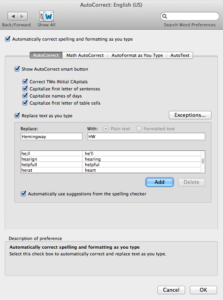
If you’re creating a new document in Microsoft Word and you know you’ll use some words frequently, use AutoCorrect to save time. This is a

If you’re creating a new document in Microsoft Word and you know you’ll use some words frequently, use AutoCorrect to save time. This is a

BREAKING NEWS: QuickBooks Online now has keyboard shortcuts. Good! Now it behaves much like QuickBooks on your Mac or PC. To invoke a keyboard shortcut,
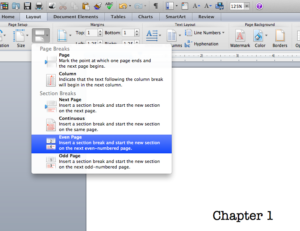
In books, chapters usually begin on the right, odd-numbered pages. If you’re formatting your manuscript for publication, don’t spend any time adding extra page breaks

As a technology professional, I have to say, one of my favorite things about what I do is when new workflows just appear naturally. This
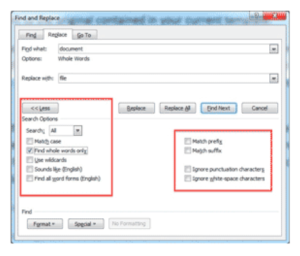
Let’s say you just finished typing your novel in Microsoft Word and decided you want to change the main character’s name from Michael to Sonny.
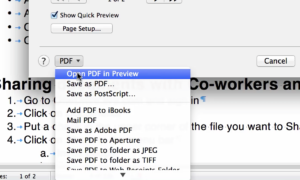
One of the things that frustrates me when I try to print my documents in Microsoft Word for Mac 2011 is that, although my printer

The “Spike” takes its name from old-fashioned store receipts. When the cashier was done with a customer’s order, they’d slap it onto a metal spike
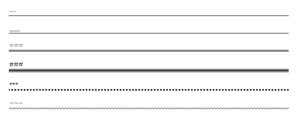
For more helpful content like this sent directly to your inbox, sign up here. How to Insert a Line in Word One of my
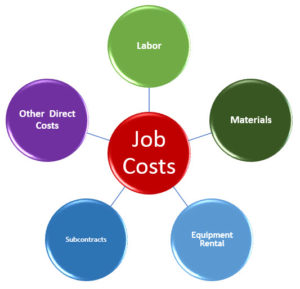
QuickBooks has a powerful Job Costing feature that allows you to compare the income you made from a job to the expenses you incurred to

Looking for tips on how to use Office on your iPad? Investintech.com has a selection of tips for the Word, Excel, and PowerPoint apps as

It’s Summer, and no doubt you’re out and about, instead of sitting in front of your computer. But that makes it more important than ever
If you’re creating a newsletter, flyer, or some other document, and the text hasn’t been written yet, insert placeholder text. This will allow you to
Problem: You copy and paste content into your document. Word maintains the original formatting and you have to manually reformat it to match your document.

I just got a new credit card that gives me cash back, a percentage of the money I spend. When I imported the refund transaction
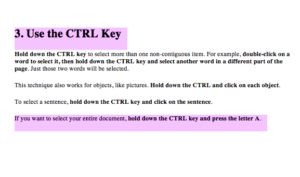
Have you ever tried to highlight text by dragging, and your document starts running across your screen? Never again! Dragging across text to select it
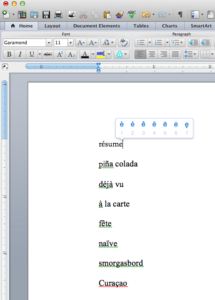
Let’s say you’re having a Scandinavian-themed party, and you want to spell Smörgåsbord correctly on the invitations. How do you type the umlaut above the

I miss the days, decades ago, when Word featured an “Open Any File” command… it really could! We called it the “can opener” because we

To add a photo or video to an email in iOS Mail on an iPhone or iPad, touch and hold in the white space in
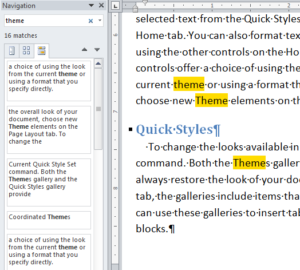
Microsoft Word Navigation Pane 101 Have you ever heard of Word’s Navigation Pane? It’s a sidebar you can view on the left of your
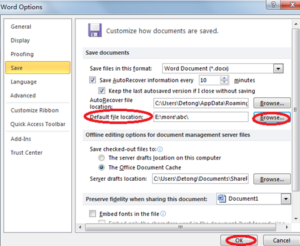
When you save a file for the first time, Word wants to put it in your Documents folder. That’s a good start, but when you’re