Tips & Tricks

App Spotlight: BusyCal 2
BusyCal 2 is an alternative to Apple’s Calendar app. It syncs to all your iCloud calendars, and offers a number of additional features: The appointments

BusyCal 2 is an alternative to Apple’s Calendar app. It syncs to all your iCloud calendars, and offers a number of additional features: The appointments
Alicia’s latest Lynda.com blog post focuses on creating an efficient workspace by using your Mac Dock, instead of your Desktop, for one-click access to your

Have you ever accidentally deleted a file you needed, or saved over a version and lost your previous content? Have no fear, Backblaze is here!
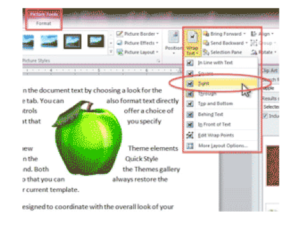
When you insert a graphic into a document, by default, Word treats it like a giant alphabet letter. Any text beside it is aligned so

Do you use “creative” ways of managing your credit cards in QuickBooks? In Alicia’s latest post on Lynda.com, she talks about the 3 most common
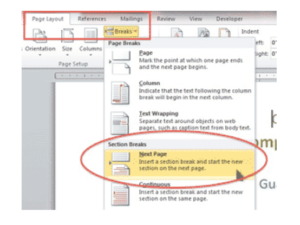
The title on a cover page is traditionally located about 1/3 to halfway down the page. Have you found yourself pressing Enter repeatedly to get

I upgraded to Yosemite OSX 10.10 last week, and immediately I started getting this Java Runtime Environment error message: “To view this web content, you
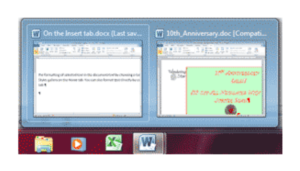
If you’re multitasking, or using one document as a reference, you need to quickly switch between two or more documents. Here are four ways to

Excel, the popular spreadsheet application bundled with Microsoft Office, is one of the most useful and versatile computer applications. Everyone from business owners to scientists

If you need to insert the date in your documents, save time by using these shortcuts instead of typing. Insert As You Type As you


A new report has hit the 24-Hour TV News Media proclaiming that “ALL Flashlight apps are malware,” tracking your every mobile move and sending it
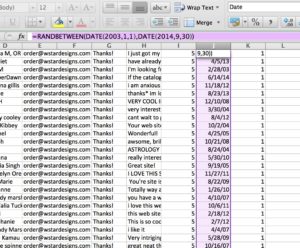
Have you ever needed to generate random dates in an Excel spreadsheet? You may not need it often, but when you do, this tip is

Convert Word to Powerpoint: Getting Started If your Word document has been properly formatted using Heading 1, Heading 2, and Heading 3 styles, or you’ve

Microsoft Clip Art Ultimate Guide: Editing, Changing, Drawing & More Have you ever wanted to use Microsoft Clip Art in your document, but didn’t because

The graphics editing features in Microsoft Word have certainly come a long way. You no longer need Photoshop for some common picture editing. For example,
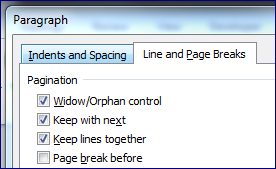
At the end of a page, Microsoft Word wraps the content to the next page automatically. While most of the time that’s great, sometimes you
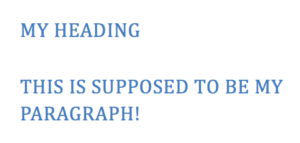
How to Clear Formatting in Microsoft Word Isn’t it frustrating when you press Enter, and the next line carries forward your formatting, even if
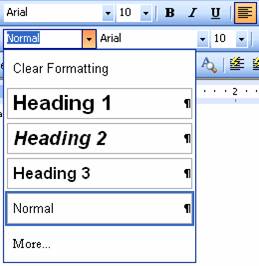
When applying the same character and paragraph formatting several times throughout a document, save dozens of repetitive steps by applying a Style instead. Word comes
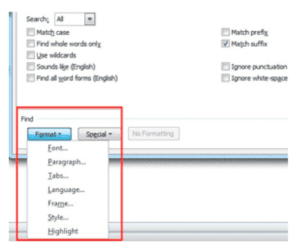
How to Copy Formatting in Word Once you’ve formatted your text, you may want to use that appearance later. You don’t need to go to
