
- LIVE · HANDS-ON · 12 WEEKS
Stop guessing your way through QuickBooks® Online.
Build real company files side-by-side with a Certified QuickBooks ProAdvisor. A live, 12-week program for bookkeepers, aspiring bookkeepers, and accounting professionals ready to go beyond the basics.
- Course Dates: August 4 – October 22, 2026
- Live Classes: Tuesdays & Thursdays
- Class Time: 9:00 AM – 12:00 PM PT
24 Live Training Sessions
Learn directly with Alicia twice a week for 12 weeks.
72 CPE Credits
Earn professional development credit while building QBO skills.
Certificate of Completion
Show your progress after finishing the training experience.
72 Hours of Guided Training
Follow a structured, step-by-step path through QuickBooks Online.
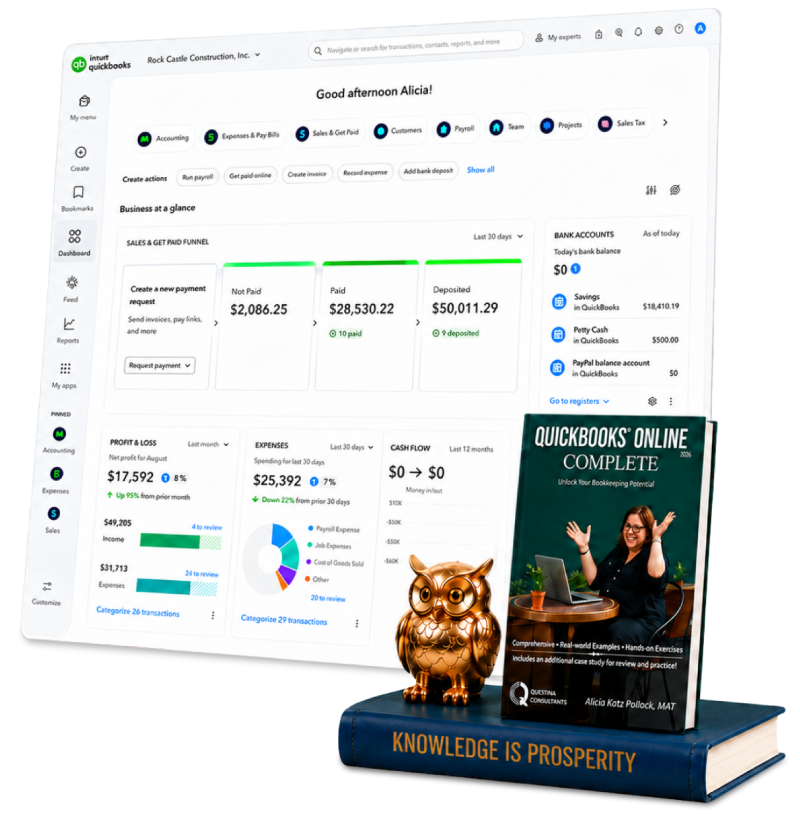
Textbook Included
Use the included textbook as your guide during and after class.
Hands-on Practice Files
Practice inside real QuickBooks Online files, not just slides.
Class Recordings Included
Catch up, review, or revisit lessons whenever you need a refresher.
Step-by-Step Case Studies
Connect lessons to real bookkeeping & business workflows.
- 12-Week Hands-On Training
Made for the people who actually use QuickBooks.
Bookkeepers
Sharpen the skills you use every day and manage every file with more confidence.
Accountants
Deepen your QBO expertise and bring more value to every client engagement.
Business Owners
Take full, hands-on ownership of your own books at a professional level.

- What You'll Learn
Everything you'll master, start to finish.
Twelve weeks, zero fluff… everything you need to go from self-taught to certification-ready.
- Foundations
Company File Setup & Chart of Accounts
Let’s start clean… we’ll structure a company file the right way from day one, avoiding the fixes most self-taught users have to unlearn later.
A properly built chart of accounts saves hours every month down the road and makes every report you pull afterward more accurate and easier to trust.
- DAILY OPERATIONS
Bank Feeds, Reconciliation & Categorization
Build a reliable monthly rhythm so your books stay audit-ready, not just “close enough.”
When reconciliation becomes routine instead of a monthly scramble, you catch small errors while they’re still easy to fix, before they turn into bigger problems at tax time or during a client review.
- REPORTING
Reports & Month-End Close
Read and use QBO’s reporting tools to actually close a month with confidence, not guesswork.
These are the exact numbers clients, owners, and stakeholders look at first, knowing how to generate and explain them is what turns you from a data-entry person into someone whose read on the books is trusted.
- ADVANCED FEATURES
Payroll & Advanced Tools
Go beyond data entry into the features that separate a proficient user from a proficient professional.
These are also the tools most self-taught users never get around to learning, mastering them is often what opens the door to higher-value client work or a stronger role internally.
- CERTIFICATION PATH
ProAdvisor Exam Readiness
Leave prepared for certification, with 72 CPE credits already behind you.
Certification is a credential clients and employers recognize immediately, it’s tangible proof of the skills you’ve built over these 12 weeks, not just a line on a resume.
- SEE IT IN ACTION
This is what a live class actually looks like.
Watch a sample lesson from last year’s QBO Complete Hands-On Training.
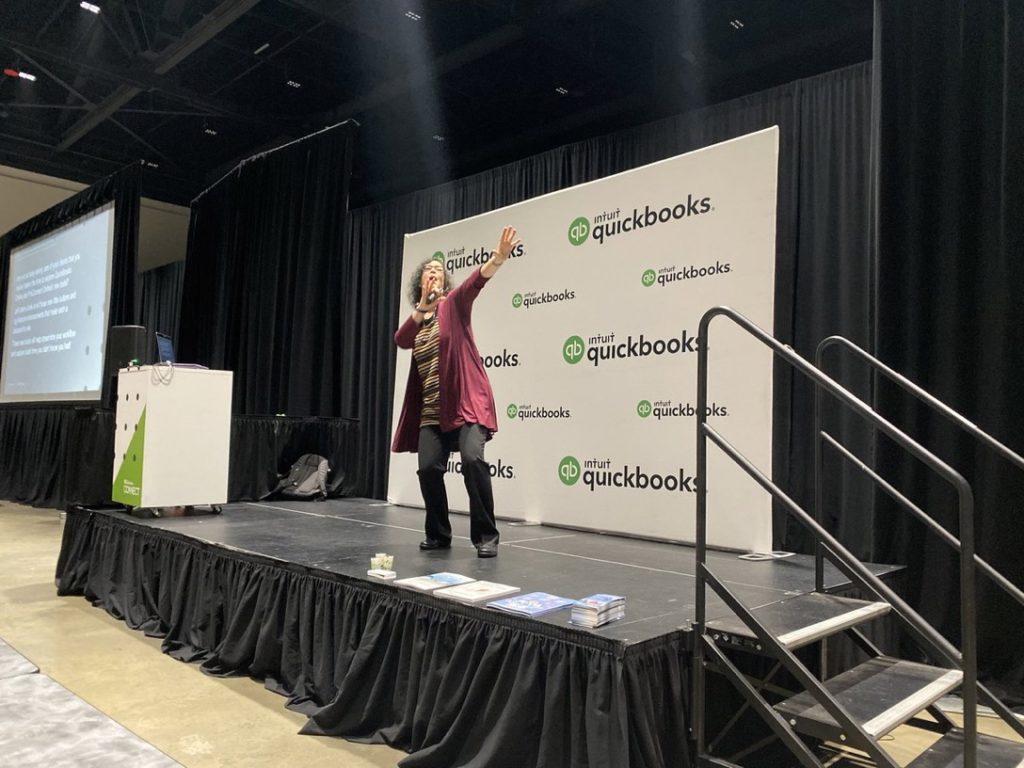
Watch Alicia walk through a real problem, setting up and managing a vehicle or equipment loan in QuickBooks Online, from the initial entry to recurring payments, exactly the way she teaches it live in class.
- Alicia Katz Pollock
Meet your QuickBooks Online instructor.
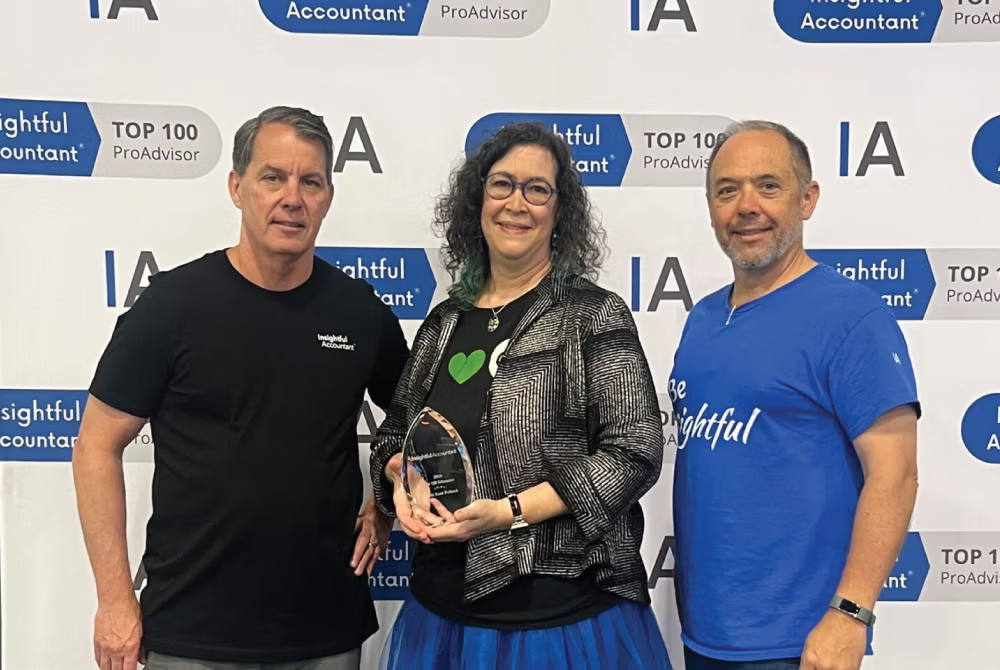
Alicia was named Insightful Accountant’s 2026 Top ProAdvisor Educator, and she has built her career around making QuickBooks Online easier to understand for bookkeepers, accounting professionals, and business owners.
In this course, you’re not learning from random internet advice. You’re learning from someone who knows both the software AND how to teach it clearly.
Insightful Accountant Top Educator
Award Won: 2026
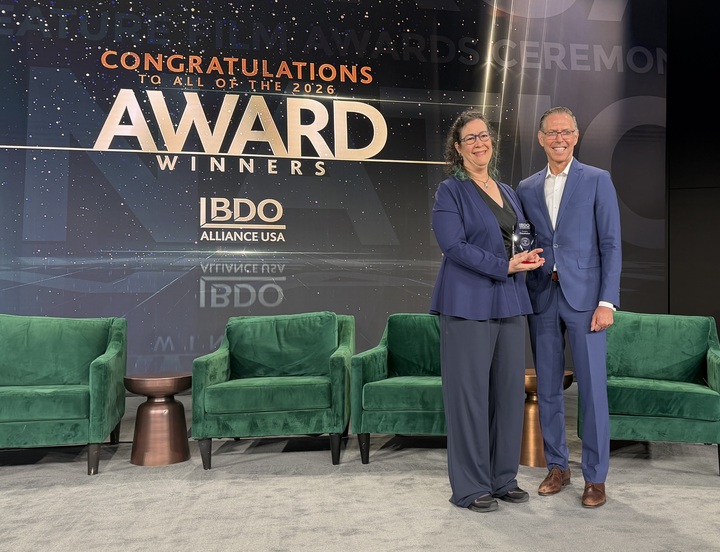
BDO Alliance USA Excellence Award - Growth Strategy
Award Won: 2026
MYCPE ONE Top Educators
Awards Won: 2024-2025
Queen of QuickBooks (Intuit)
Awards Won: 2023–2024
Top 50 Women in Accounting (Ignition)
Award Won: 2023
- CERTIFICATION PREP
Turn your skills into a recognized credential.
This course is mapped to Certiport’s QuickBooks Online Certified User (QBOCU) exam — an industry-recognized credential that proves your QuickBooks Online expertise to employers and clients.
It also prepares you for the majority of Intuit’s QuickBooks ProAdvisor Certification, with the exception of the QBOA Accountant Tools portion, which isn’t covered in this course.
- REAL RESULTS
What our past students say!
Here’s what bookkeepers, accountants, and business owners who completed this hands-on program had to say.
This is real feedback from people who walked in unsure and walked out running their books with confidence.
“Transformed my confidence."
“This program transformed my confidence in managing day-to-day bookkeeping. It uncovered blind spots I didn’t even realize I had and provided clear, practical solutions to address them. The learning environment was welcoming, and the teaching was exceptional, engaging, thorough, and easy to follow. Highly recommend it to anyone looking to enhance their skills!”
John Berteloot
"Totally worth it!"
“This class is totally worth it! Alicia is very patient and answers ALL questions. Getting to actually DO the processes really helps to learn them. I feel like I have a much better grip on QBO now. And the book is a great resource in itself.”
J.J. Jackson
“A literal hands-on course.”
“This is a literal hands on course where you learn exactly what to do in QuickBooks. Excellent course for anyone who uses QuickBooks, no matter how experienced you are (or are not!).”
Brenda Spandrio
“A must for beginners and experienced users.”
“This course is a must for anyone from the experienced to the beginner wanting to learn how to effectively and efficiently use QuickBooks.”
Chase Nesbitt
“Alicia is very patient.”
“Alicia was a great trainer! She is very patient with everyone!
This is a great course to take if you want to learn QBO.”
Janice Kats
- Course Content
What You’ll Learn
CHAPTER 1: The QBO Ecosystem | QBO versions, ecosystem, browser basics, interface, updates...
- QuickBooks Online vs. QuickBooks Desktop
- Third-party Apps
- QuickBooks Online Versions
- QuickBooks Online for Accountants
- Accounting 101
- Using a Browser to Access QBO
- Working with QuickBooks Online Files
- QuickBooks Online Updates and New Features
- Backing Up QBO Files
- QuickBooks Online’s Interface
- Entering Transactions in QuickBooks Online
- QuickBooks Online Help
CHAPTER 2: Setting Up QBO | Start a new company file and configure the core setup
- Starting a New QuickBooks Online Company
- Configuring Account and Settings
- Setting Up the Chart of Accounts
- Setting Up Products & Services
- Importing Lists
CHAPTER 3: Customizing QuickBooks Online | Customize lists, sales forms, tracking, users, and settings
- Customizing Lists
- Implementing Custom Fields
- Activating Class Tracking
- Setting Up Sales Tax
- Customizing Sales Forms
- Adding Users and Passwords
CHAPTER 4: Customer Sales | Customers, sales transactions, payments, deposits, and A/R reports
- Configuring the Sales Settings
- Tracking Company Sales
- Setting Up Customers
- Recording Sales
- Receiving Payments from Customers
- Making Bank Deposits
- Running Accounts Receivable Reports
CHAPTER 5: Vendor Expenses | Vendors, bills, credit cards, job costs, petty cash, and A/P reports
- Configuring the Expenses Settings
- Tracking Company Expenses
- Using the Vendors Center
- Recording Transactions
- Tracking Job Costs
- Paying Bills
- Using Credit Cards
- Writing Checks
- Tracking Petty Cash
- Running Accounts Payable Reports
CHAPTER 6: Accrual Accounting | Automation controls, A/R and A/P workflows, and sales tax
- Controlling the Automation
- Accounts Receivable Workflows
- Accounts Payable Workflows
- Paying Sales Tax
CHAPTER 7: Banking and Reconciliation | Bank feeds, rules, imports, registers, and reconciliations
- The Bank Transactions Feed
- Connecting Your Bank and Credit Cards
- Using the Bank Transactions Feed for Data Entry
- Creating Rules
- Viewing the Bank Register
- Importing Transactions Downloaded from Your Bank
- Reconciling Bank Accounts
- Bank Reconciliation Reports
- Reconciling Credit Card Accounts
CHAPTER 8: Reports | Find transactions, customize reports, save reports, and export results
- Finding Transactions
- Cash vs. Accrual Reporting
- Types of Reports
- Customizing Reports
- Saving and Viewing Reports
- Creating Management Reports
- Printing and Exporting Reports
CHAPTER 9: Advanced Workflows | Mileage, contractors, recurring transactions, journal entries...
- Transferring Funds Between Accounts
- The Receipts Center
- Tracking Vehicle Mileage
- The Contractors Center
- Creating Recurring Transactions
- Using Journal Entries
- Managing Loans
- Applying Price Rules
- The Audit Log
CHAPTER 10: Case Study - YinYang Graphic Design | Practice applying what you have learned
This chapter uses the YinYang Graphic Design case study to help you practice and reinforce the workflows covered in the course.
CHAPTER 11: Projects and Job Costing | Projects, estimates, deposits, billable expenses...
- Using the Projects Center
- Working With Estimates
- Taking Customer Deposits on Work to Be Performed
- Managing Vendor Deposits
- Invoicing a Customer for Billable Expense Reimbursement
- Tracking Custom Orders
- Running Job Costing Reports
- Using Budgets for Estimates vs. Actuals
CHAPTER 12: Inventory | Inventory tracking, buying, selling, adjusting, vendor returns, and reports
- Managing Inventory
- Tracking Inventory with QuickBooks Online
- Buying and Selling Inventory Products
- Adjusting Inventory
- Vendor Returns with Inventory Items
- Inventory Reports
CHAPTER 13: Year-End Procedures | Adjustments, depreciation, 1099s, equity, and closing the books
- Creating Adjustments
- Tracking Depreciation of Fixed Assets
- Processing 1099s
- Managing Equity
- Closing the Books
CHAPTER 14: Payroll Setup | Payroll subscriptions, setup, employees, and payroll settings
- Intuit’s Payroll Subscriptions
- Setting Up Payroll
- Adding Employees
- Customizing the Payroll Settings
CHAPTER 15: Payroll Processing | Payroll center, checklists, employee pay, corrections, taxes, and reports
- Using the Payroll Center
- Payroll Processing Checklists
- Paying Employees
- Correcting Errors
- Paying Taxes and Liabilities
- Running Payroll Reports
- Managing Employees
CHAPTER 16: Capstone Project - YinYang Graphic Design | Apply your QBO skills in a final capstone project
The capstone project gives you a final opportunity to apply what you have learned by working through YinYang Graphic Design.
- Enroll Today
Price Drop!
Now $1,999.99
Regular Price: $2,499.99
Save $500.00
Now 25% Off
Until August 1st
Flexible Payments*
4 Easy Payments
Full Course Access
From Day One
*Prefer to pay over time? Email Jef at jef@royalwise.com to receive a custom invoice for four biweekly payments of $499.75. Your enrollment includes all 12 weeks of live instruction, 72 CPE credits, and lifetime access to every class recording.
- Course Questions
Frequently Asked Questions (FAQs)
Get clear answers about the course format, time commitment, cost, certification prep, and whether this training is the right fit for you.
1. When does the course begin, and when are the live classes?
The QuickBooks Online Complete Hands-On Training 2026 runs from August 4 through October 22, 2026.
Live classes are held every Tuesday and Thursday from 9:00 AM to 12:00 PM Pacific Time (PT) for a total of 24 live sessions and 72 hours of instructor-led training.
If you can’t attend a class live or would like to review a lesson, recordings of every session are included and available to enrolled students.
2. Is this class right for me if I’m brand new to QuickBooks Online?
Yes. This class is designed to help you learn QuickBooks Online step by step, even if you do not already feel confident in the software. You will not be expected to figure it out alone or piece together random tutorials.
Alicia walks you through the workflows, explains why each step matters, and gives you opportunities to practice in real QuickBooks company files. That makes this a strong fit for beginners who want structure, guidance, and hands-on experience.
3. Is this class only for accounting professionals, or can business owners take it too?
Both accounting professionals and business owners can benefit from this training.
If you are an accounting pro, this class can help you serve clients more confidently, understand the full bookkeeping workflow, and strengthen your QuickBooks skills in a practical way.
If you are a business owner, this class can help you stop guessing in your books, understand what is happening financially, and make cleaner, more informed decisions in QuickBooks Online.
4. Why does this class cost more than a typical Royalwise QBO course?
Because this is not a typical QuickBooks course.
Many QuickBooks courses are short, self-paced, and focused on isolated tasks. This class is a full 12-week hands-on training program with live instruction, real practice files, guided case studies, recordings, handouts, quizzes, 72 CPE credits, a certificate of completion, a paperback textbook, and lifetime access.
You are not just buying videos. You are investing in structure, accountability, expert guidance, and the chance to practice QuickBooks Online in a real bookkeeping workflow from beginning to end.
5. Why should I take this class instead of watching free videos or buying a cheaper course?
Structure. Free videos can help with quick answers, but they often leave you with disconnected tips instead of a complete understanding of the bookkeeping process.
This class gives you a structured 12-week path, live instruction, hands-on practice, real-world case studies, recordings, handouts, quizzes, CPE credit, a textbook, and lifetime access. You are not just watching someone click through QuickBooks. You are learning how the pieces fit together so you can use QBO with more confidence.
6. Just how hands-on is this class?
Very hands-on. This is not a passive lecture course.
You will build and work inside QuickBooks company files as you learn. Alicia demonstrates the workflow, explains the reasoning behind it, and then you practice the process yourself. That combination of instruction and doing is what helps the material stick.
7. How much time should I expect to spend outside of class?
Plan on spending time outside of live sessions to finish practice assignments, review recordings, and keep up with the case study work.
The exact amount depends on your experience level and learning pace, but this is a real training program, not a casual video series. Students who get the most value are the ones who show up, practice, ask questions, and keep moving through the work.
8. What if I enroll late or I miss a live class?
Not a problem! The live sessions are recorded, so you can review the material if you miss a class or want to watch something again.
That said, attending live when possible is valuable because you get the rhythm, accountability, and opportunity to ask questions as the material is being taught. The recordings give you flexibility, but the live structure helps many students stay on track.
9. Do I need my own QuickBooks Online subscription?
No, you do not need to purchase your own QuickBooks Online subscription just to participate in the class.
Students receive access to a QuickBooks Online practice file for the course. You will need a computer with Chrome installed, preferably, so you can follow along and complete the hands-on work.
10. Does this class make me QuickBooks certified?
This class includes a Certificate of Completion and 72 CPE credits. It is also designed to help prepare you for the Certiport QuickBooks Online Certified User exam and much of the Intuit ProAdvisor Certification content.
It is important to know that completing the class is not the same as automatically earning a third-party certification. Certification exams are separate. This class gives you the training, practice, and confidence-building foundation to help you prepare.
11. Why is the class 72 hours long?
Because QuickBooks Online is not just one skill.
To use QBO confidently, you need to understand how setup, customers, vendors, banking, reconciliations, reports, inventory, payroll, projects, job costing, and year-end tasks all work together. A short course can show you where to click. A deeper training program helps you understand why you are clicking there in the first place.
The length of the class is what allows us to slow down, practice, ask questions, revisit tricky areas, and build real confidence instead of rushing through the material.

LIVE · HANDS-ON · 12 WEEKS
Ready to stop guessing in QBO?
Join fellow bookkeepers, accounting professionals, and small business owners building real confidence in QuickBooks Online… live, hands-on, and starting August 4, 2026.