
Tips & Tricks

How to Convert QuickBooks Enterprise to Pro or Premier
Convert QuickBooks Enterprise to Pro or Premier For a brand new course (2025) on Converting QuickBooks Desktop to QuickBooks Online, click here. Have you been

Convert QuickBooks Enterprise to Pro or Premier For a brand new course (2025) on Converting QuickBooks Desktop to QuickBooks Online, click here. Have you been
It’s Visitor’s Day! Here’s a recording about how to run your mail merge in Word and Excel. Instructions are included for both Mac and PC.

Do you drive your car or truck for work? I don’t mean driving to and from work…that’s considered “commuting”, and it’s not tax-deductible. I mean, do you

PayPal has a new service called PayPal Credit. It’s a credit card, sort of. By default, if you don’t have enough money in your PayPal

This article, written by Intuit’s Jim McGinnis (VP and Leader of the Accountant Segment for Intuit), originally appeared on LinkedIn: http://bit.ly/1Qk3y7l Who are you going

Don’t spend your money, invest your profit. I’ve had a few business owners tell me that they finished off their year by moving all their money

It’s that time of year when business owners get anxious and accountants get busy. We’re all preparing the April tax season! If you’ve been keeping
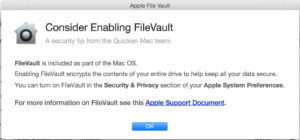
I just upgraded my Quicken for Mac software to 2016; I use it for my personal expenses. When I opened it for the first time

My grandkids will never read my shenanigans from files on a CD in the attic. ~Alicia Katz I recently realized that while I thrive in a

Did you reach 6 figures and realized nothing was left in your bank account? If you have not found a way to keep the cash

You know how frustrating it is when a website stops working, or your email won’t send. It just gets worse when you reboot your computer,

Microsoft Word’s Advanced Find and Replace feature can do WAY more than just replace one word with another one. In this video, I show you

I love it when I work with a client to troubleshoot their QuickBooks file, and I accidentally find them money, or solve a dispute. This week

One of my favorite things about being an Intuit ProAdvisor is that I actually get to help guide and troubleshoot product development. This week I

On Saturday, August 29, 2015, Alicia was the featured guest on the on KBNP 1410 AM in Portland, OR. RETIREMENT READY! REAL ESTATE & FINANCE SHOW with Kim

Reset the QuickBooks for Mac App If you use QuickBooks Online (QBO) on a Mac, there’s an app for that, and you can click

Yesterday my client was asked for her Resale Tax Exemption Number or Certificate. In Oregon, we don’t collect sales tax, but we wanted to confirm

Some excitement for Alicia today! Intuit sent out Canadian photographer Remi Theriault to capture her enthusiasm (and rainbow hair) for an upcoming QuickBooks marketing campaign.

Here’s another one of my time-saving Microsoft Excel tips. If you need to make changes to several parts of your spreadsheet at once, don’t highlight
