
- LIVE QUICKBOOKS® ONLINE TRAINING
Customize QuickBooks® Online
QuickBooks Online is built for millions of businesses. That doesn’t mean its default setup is built for yours.
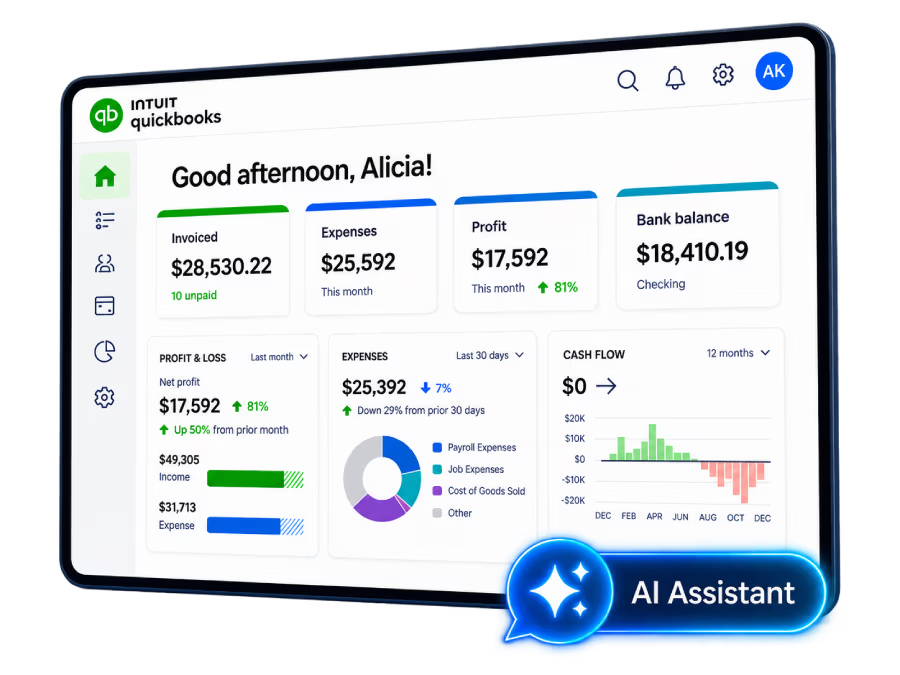
In this focused, hands-on class, Alicia Katz Pollock will show you how to customize QuickBooks Online so the tools you use most are easier to find, the information you care about is easier to see, and everyday bookkeeping takes fewer clicks.
- Course Dates: September 30, 2026
- Live Classes: Wednesday
- Class Time: 9:00 AM – 10:00 AM PT
Live, Hands-On Training
Follow along as Alicia demonstrates customization options directly inside QuickBooks Online and shows you where they fit into your everyday workflow.
Lifetime Replay Access
Can't attend live? Want to revisit something later? Your enrollment includes lifetime access to the class recording.
Downloadable Resources
Keep the supporting resources from the course so you can reference what you've learned after class.
Live Q&A
Bring your questions. You'll have an opportunity to learn from Alicia and get additional context about the features being demonstrated.
1 CPE Credit
Earn 1 CPE credit while learning practical QuickBooks skills you can put to work immediately.
Certificate of Completion
Complete the course requirements and receive your Royalwise certificate of completion.
- Customize QuickBooks Online
Who benefits from this class?
QuickBooks Online gives you a lot of tools, menus, dashboards, shortcuts, alerts, and options. But when everything is competing for your attention, the features that actually matter to your business can get buried.
The good news? You have way more control over your QuickBooks workspace than you might realize.
Bookkeepers
When you're working inside QBO every day, little inefficiencies add up. Learn how to streamline your workspace, improve navigation, and spend less time clicking through screens that don't matter to your workflow.
Accountants
Become more comfortable with QBO's growing customization options and discover features you can use when working efficiently across client files.
Small Business Owners
You don't live in QuickBooks all day and you shouldn't have to waste time hunting for the tools and information you need. Learn how to create a workspace that makes everyday bookkeeping faster and less frustrating.
Need a Cleaner QBO Workflow?
If your QuickBooks workspace feels cluttered, confusing, or harder to navigate than it should be, this class will show you where to start.

- Course Content
What You’ll Learn
In this class, you’ll learn how to personalize QBO around the way you work… removing distractions, surfacing important tools, and creating a faster, cleaner everyday workflow.
01 — Build a Dashboard That Shows What Matters
Your dashboard should help you understand your business, not overwhelm you with information.
Learn how to customize your QuickBooks Online dashboard so the metrics and information most useful to you are easier to see while unnecessary visual clutter gets out of the way.
You’ll explore:
- Creating a more useful starting point
- Dashboard customization
- Business metrics
- Reduce unnecessary information
02 — Get Where You're Going Faster
The features you use every day shouldn’t feel buried.
Learn how to personalize your navigation and create faster paths to the areas of QuickBooks you rely on most.
You’ll explore:
- Pinned navigation
- My Menu Account tools
- Favorite tools
- Create Actions
03 — Clean Up Your Bank Transactions Workflow
Bank Transactions is one of the most frequently used areas of QuickBooks Online, which makes even small workflow improvements valuable.
Learn how to adjust what you see so you can focus on the information you actually need while reviewing transactions.
You’ll explore:
- Bank Transactions display options
- Customizing visible information
- Creating a more efficient review process
04 — Customize the Way You Create Invoices
Your invoicing workflow doesn’t have to stay exactly the way QuickBooks gives it to you.
Explore customization options inside the invoice experience and learn how the Manage pane can help you adjust the tools and information available while you’re working.
You’ll explore:
- Invoice customization
- The Manage pane
- Creating a more personalized invoicing experience
05 — Make Search Work for You
You shouldn’t have to repeatedly dig for the same information.
Learn how to customize your search experience and favorite useful search fields so the information you regularly look for is easier to access.
You’ll explore:
- Search fields
- Favorite search options
- Faster information retrieval
- Building shortcuts around the way you work

- Remove Friction
The goal isn't to customize everything.
QuickBooks Online has to work for millions of businesses, industries, accountants, bookkeepers, and workflows.
Its default setup can’t possibly be perfect for every one of them.
That’s why this class isn’t about changing settings simply because you can. It’s about identifying the small points of friction that slow you down every day.
A better QBO setup puts the right information in front of you, makes frequently used tools easier to reach, and gets everything else out of your way.
That’s what customization should accomplish.
- Alicia Katz Pollock
Meet your QuickBooks Online instructor.
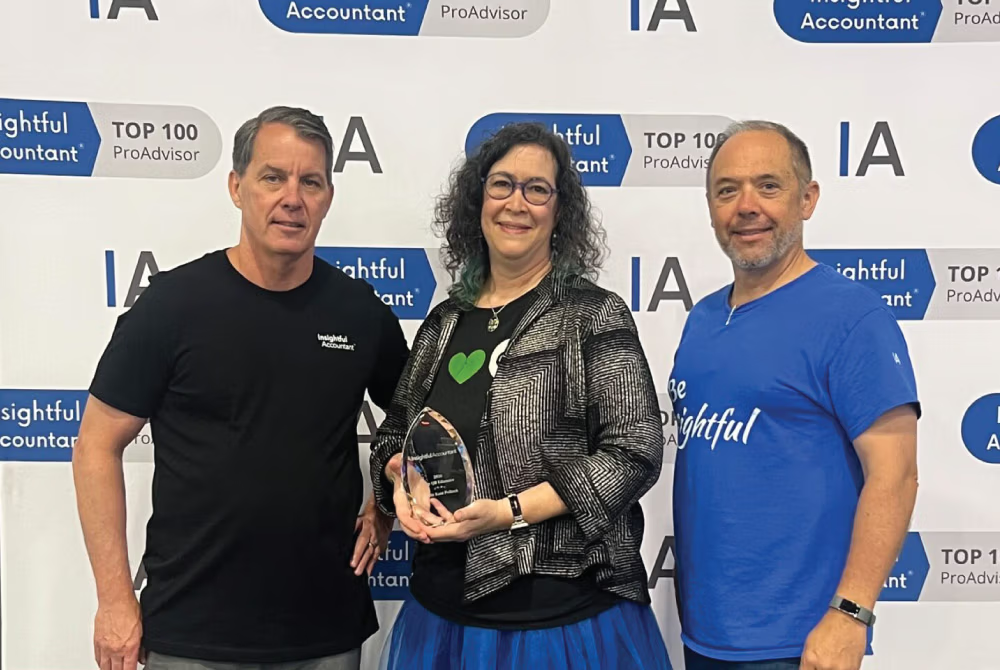
Alicia was named Insightful Accountant’s 2026 Top ProAdvisor Educator, and she has built her career around making QuickBooks Online easier to understand for bookkeepers, accounting professionals, and business owners.
In this course, you’re not learning from random internet advice. You’re learning from someone who knows both the software AND how to teach it clearly.
Insightful Accountant Top Educator
Award Won: 2026
BDO Alliance USA Excellence Award - Growth Strategy
Award Won: 2026
MYCPE ONE Top Educators
Awards Won: 2024-2025
Queen of QuickBooks (Intuit)
Awards Won: 2023–2024
Top 50 Women in Accounting (Ignition)
Award Won: 2023


- Event Outcome
Learn it live. Use it immediately.
This isn’t a broad overview of every setting buried inside QuickBooks Online.
It’s a focused look at the customization tools that can make a meaningful difference in the way you work. In just one hour, you’ll learn practical adjustments you can start making immediately.
After the class:
- You know what can be customized.
- Your important tools are easier to access.
- Your workspace is cleaner and more intentional.
- You understand more of QBO's newer interface options.
- You know how to keep refining QuickBooks around your workflow.
- REAL RESULTS
What our past students say!
Here’s what bookkeepers, accountants, and business owners who completed this hands-on program had to say.
This is real feedback from people who walked in unsure and walked out running their books with confidence.
"Totally worth it!"
“This class is totally worth it! Alicia is very patient and answers ALL questions. Getting to actually DO the processes really helps to learn them. I feel like I have a much better grip on QBO now.”
J.J. Jackson
“A literal hands-on course.”
“This is a literal hands on course where you learn exactly what to do in QuickBooks. Excellent course for anyone who uses QuickBooks, no matter how experienced you are (or are not!).”
Brenda Spandrio
“A must for beginners and experienced users.”
“This course is a must for anyone from the experienced to the beginner wanting to learn how to effectively and efficiently use QuickBooks.”
Chase Nesbitt
“Alicia is very patient.”
“Alicia was a great trainer! She is very patient with everyone!
This is a great course to take if you want to learn QBO.”
Janice Kats
- Enroll Today
Now $40.00
Regular Price: $70.00
Save $30.00
1 Hours of Training
9:00 AM – 10:00 PM PT
1 CPE Credits
Professional Development Credit
Recording Access
Revisit Whenever Necessary
Spend one focused hour with Alicia learning what QuickBooks customization can do, where it can save you time, and how to make QBO work the way you work.
- Course Questions
Frequently Asked Questions (FAQs)
Get clear answers about the course format, time commitment, cost, certification prep, and whether this training is the right fit for you.
Do I need to be an experienced QuickBooks Online user?
No. You should have basic familiarity with QuickBooks Online, but you don’t need to be an advanced user.
If you already know your way around QBO and want to make your everyday workflow faster and more personalized, you’ll be able to put these techniques to use.
Is this class for business owners or bookkeepers?
Both.
Business owners can use these customization techniques to simplify the time they spend managing their books, while bookkeepers and accounting professionals can use them to create more efficient day-to-day workflows.
What parts of QuickBooks Online will we customize?
The class covers areas including the Home Dashboard, navigation, pinned shortcuts, Create Actions, accountant tools, AI alerts, Bank Transactions, invoices, and search options.
Will this change my accounting or company data?
The focus of this class is your QuickBooks Online workspace and workflow, how you navigate, display information, and access frequently used tools, rather than changing your underlying accounting methodology.
What if my QuickBooks Online looks different from Alicia's?
QuickBooks regularly updates its interface, and available features can vary depending on your subscription and rollout status.
Part of the value of learning these concepts is understanding where QuickBooks provides customization and how to evaluate those options as the interface continues to evolve.
Do I have to attend live?
No.
Your enrollment includes lifetime access to the class replay, so you can watch again later or catch up if you aren’t able to attend the live session.
Does this course qualify for CPE?
Yes. The course is eligible for 1 CPE credit when the applicable participation requirements are met.
What do I need before class?
You should have access to QuickBooks Online and a basic understanding of how to navigate the software. For the best experience, have your own QBO company available so you can explore the customization options as Alicia demonstrates them.

LIVE QUICKBOOKS® ONLINE TRAINING
Change the way you use QuickBooks forever.
Join Alicia for one focused hour and learn how to turn QuickBooks Online into a cleaner, faster, more useful workspace built around the way you work.