QuickBooks Checking + Envelopes

QuickBooks Checking + Envelopes

Table of Contents

The QuickBooks Checking + Envelopes

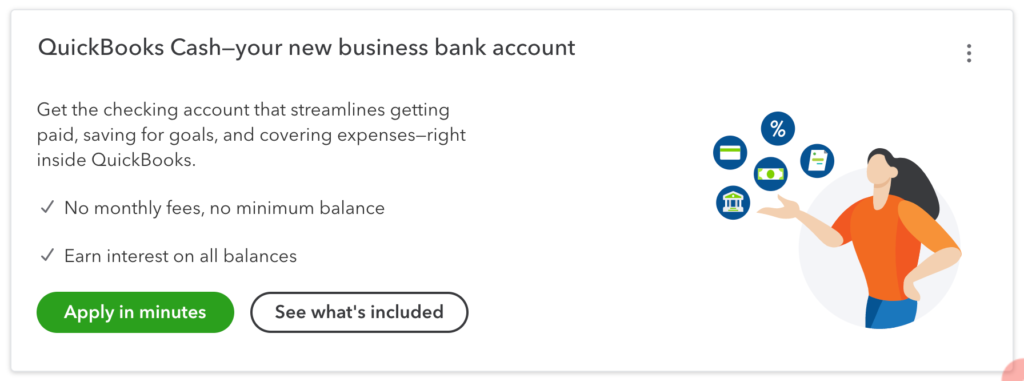
Intuit has introduced a new integrated checking account right inside QuickBooks Online (QBO). QuickBooks Checking + Envelopes combines a checking account, savings envelopes, merchant service payments, and a cash flow planner all in one integrated interface.


QuickBooks Checking + Envelopes starts with a business checking account through Green Dot Fintech. The application process literally takes about a minute. The account itself has no monthly fees, earns 1% interest, and comes with a debit card.


It’s designed to be the deposit account for your QuickBooks Payments merchant services, to easily collect funds (if you don’t already have a QB Payments account, one is created for you during the approval process). You can also transfer money in and out of it from your regular operating accounts.


QuickBooks Checking + Envelopes also leverages the Profit First idea that for your business to be successful, it’s a good idea to set aside funds for your profit, your owner pay, your payroll, taxes, equipment purchases, and a rainy day fund. You can create up to 5 envelopes that are true subaccounts of the checking account. You can move money in and out as needed, but any money in the envelopes is calculated separately from the main checking account. Each envelope incurs its own interest.


If you create an Employee Payroll envelope and use QuickBooks Online’s built-in Payroll, your payroll will be automatically drawn from the envelope!


The Cash Flow Center also includes a Planner to look at how upcoming income and expenses will affect your bottom line. Even if you don’t have a QuickBooks Checking checking account, you can still turn on this dashboard widget in QuickBooks labs.


The only drawback that I’ve found is that at this time, the Cash Flow Center is only available to business owners. Bookkeepers logging in through QBOA can only see activity in the Banking Feed. They have no access to the Envelope subaccounts.


I have been turning on this feature for all my clients, especially my solopreneurs who don’t already have a dedicated business account.


Because I myself have been lucky enough to have a separate QBO account (instead of using QBOA’s My Books), I’ve been able to start using this new checking account as a budgeting tool. I’m still using my regular bank’s operating account for some of my revenue streams, and dedicating this one to my QB Payments income and Payroll. It’s been working great!


And that 1% interest sure doesn’t hurt! Thanks, Intuit!


For more information, take a look at these resources:

The QuickBooks Checking and Envelops FREE Course

QuickBooks Payments Merchant Services, free course

Cash Flow Planner

Picture of Alicia Katz Pollock
Alicia Katz Pollock
Recently named one of America's Top 50 Women in Accounting, Alicia is a leading expert in QuickBooks Online training with a Masters in Teaching and decades of business consulting. She offers a range of tailored resources from self-paced courses to personalized coaching. Known for her patience and commitment, Alicia simplifies QuickBooks for clients, helping them achieve their financial management goals with ease.
Picture of Alicia Katz Pollock
Alicia Katz Pollock
Recently named one of America's Top 50 Women in Accounting, Alicia is a leading expert in QuickBooks Online training with a Masters in Teaching and decades of business consulting. She offers a range of tailored resources from self-paced courses to personalized coaching. Known for her patience and commitment, Alicia simplifies QuickBooks for clients, helping them achieve their financial management goals with ease.
Don't forget to share this post.
Related Articles
Chart of Accounts
QuickBooks
Alicia Katz Pollock
Chart of Accounts in QuickBooks Online | Unraveling the Mysteries

Hey everyone, let’s talk about something that’s often overlooked but absolutely crucial for a healthy financial life – your Chart of Accounts in QuickBooks Online (QBO). Whether you’re a seasoned bookkeeper, a small business owner wearing multiple hats, or just starting your entrepreneurial journey, understanding your Chart of Accounts (COA) is like having a clear roadmap to your business’ organizational

Read More »
Products, Services, & Inventory in QBO | Taming the Beast
QuickBooks
Alicia Katz Pollock
Products, Services, & Inventory in QBO | Taming the Beast

Let’s be honest, managing products, services, and inventory can feel like wrestling an octopus. You’ve got tentacles everywhere – invoices, bills, purchase orders, reports – and it’s easy to feel overwhelmed, especially if you’re a small business owner or bookkeeper juggling multiple tasks. But QuickBooks Online (QBO) can be a powerful ally in this fight, and understanding how to utilize

Read More »
Alicia Katz Pollock
News
Payden Miller
Notable Appearances

Notable Appearances by Alicia Katz Pollock As Royalwise continues to grow and touch more lives than ever, demand for Alicia Katz Pollock has grown as well. She has made a slew of notable appearances recently, and rather than create a separate blog post for each event, we’ve decided to create a running list of important showings by the QuickBooks Online

Read More »