Join the growing Royalwise community today. Subscribe to our email list to have more helpful content just like this delivered directly to your inbox.
Look What I Found!
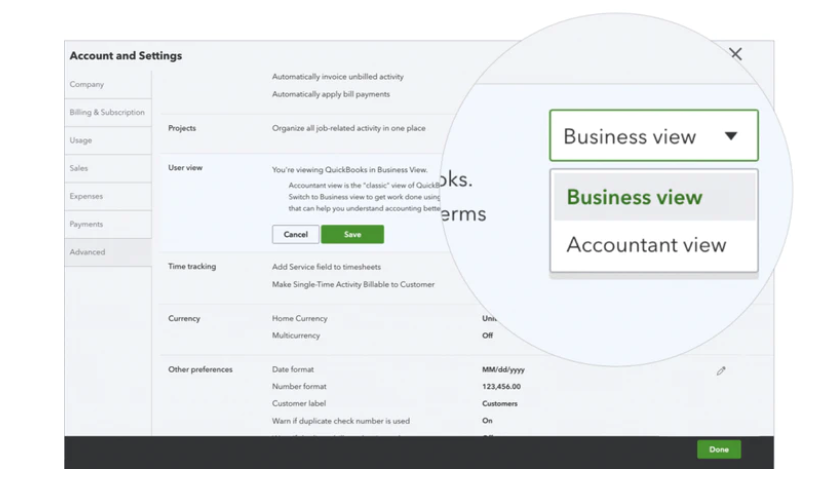
QuickBooks Online Banking Feed has Two Views, Business and Accountant
QuickBooks Online Banking Feed
The Banking Feed is used to import transactions from your bank and credit card in order to match them to existing transactions in QBO, and is an efficient way to enter expenses into your books. Because it’s used by both bookkeepers and business owners, Intuit realizes that the two think about the process differently, and use different terminology.
In Intuit’s quest to make QuickBooks Online as user-friendly as possible, they have introduced the option to toggle between two different views of the Banking Feed.
To this end, you can go up to the big Gear in the upper right corner and use the link at the bottom to toggle between different user interfaces.
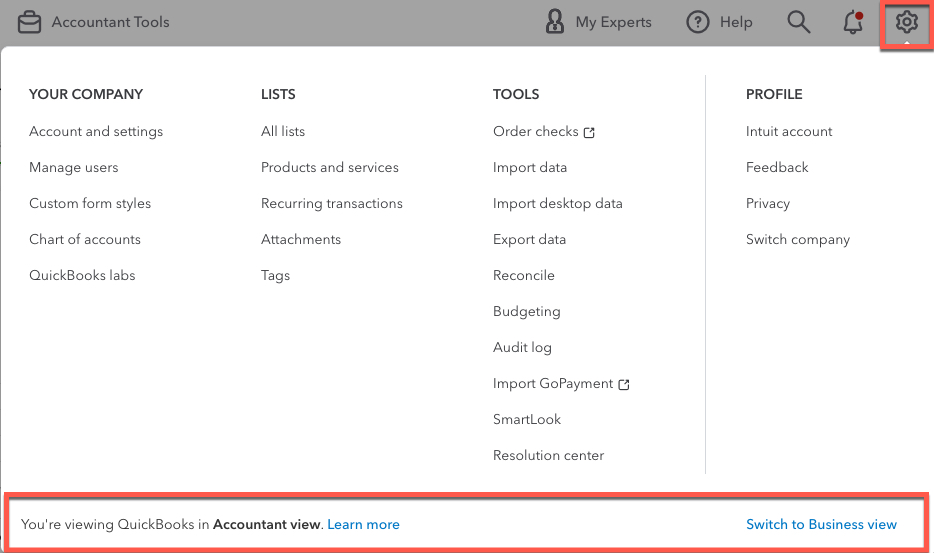
QuickBooks Online Banking Feed – Accountant View
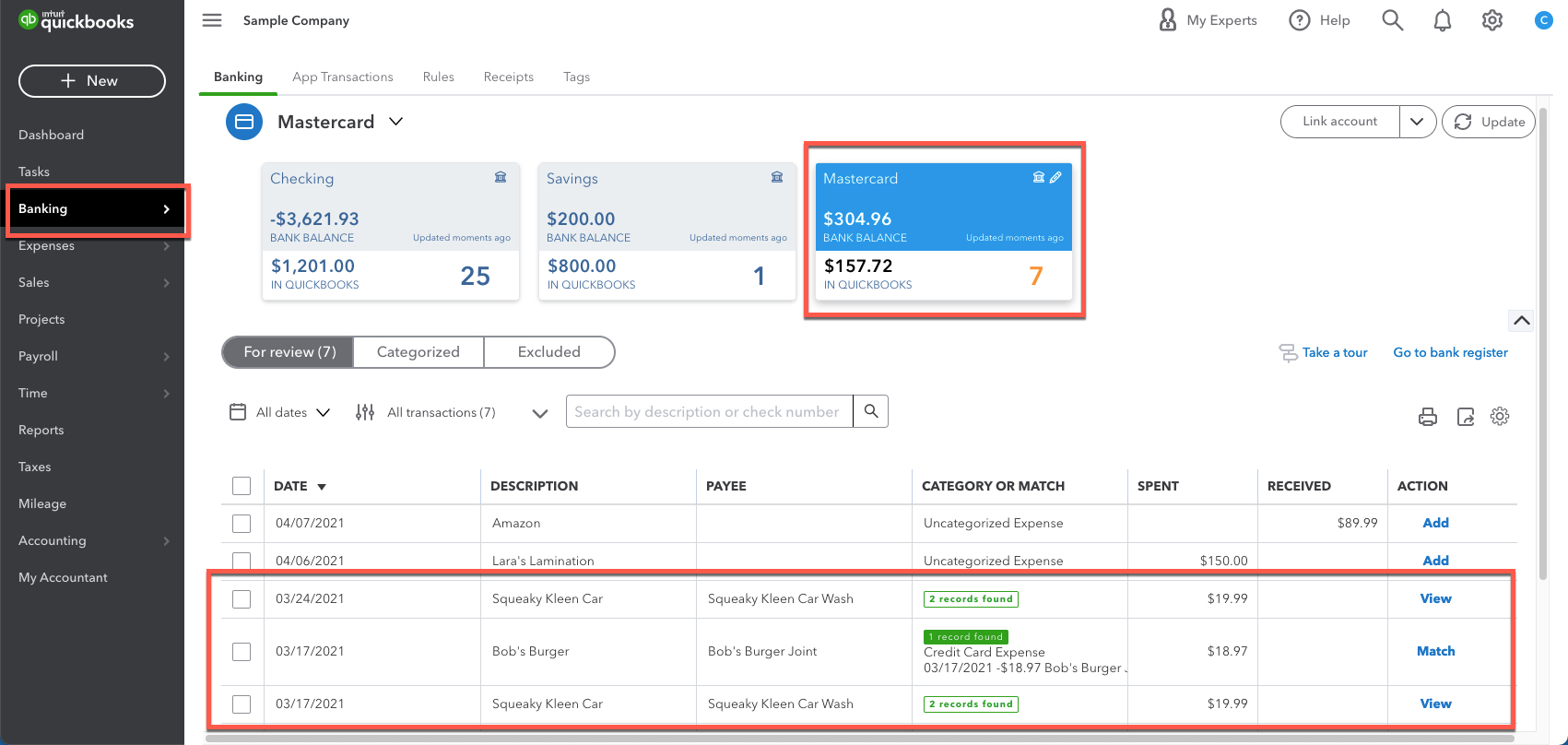
The Accountant view is the original Banking view. You can tell you’re in it because you see the word “Banking” in the black navigation bar on the left.
When in the Accountant View, each account appears in a card across the top of the screen. The active account is blue. Each card shows the number of unmatched transactions and the difference between the QuickBooks account balance and the Bank’s balance.
The transactions below are in a grid. Green and white boxes indicate if it matches an existing transaction already in QuickBooks. The buttons on the right read Match if QBO can link the bank download. If there are several possibilities, click View to see them and select the appropriate entry. If there is no match, be sure to click on the transaction and code the Payee, account Category, and any other necessary information before clicking Add!
QuickBooks Online Banking Feed – Business View
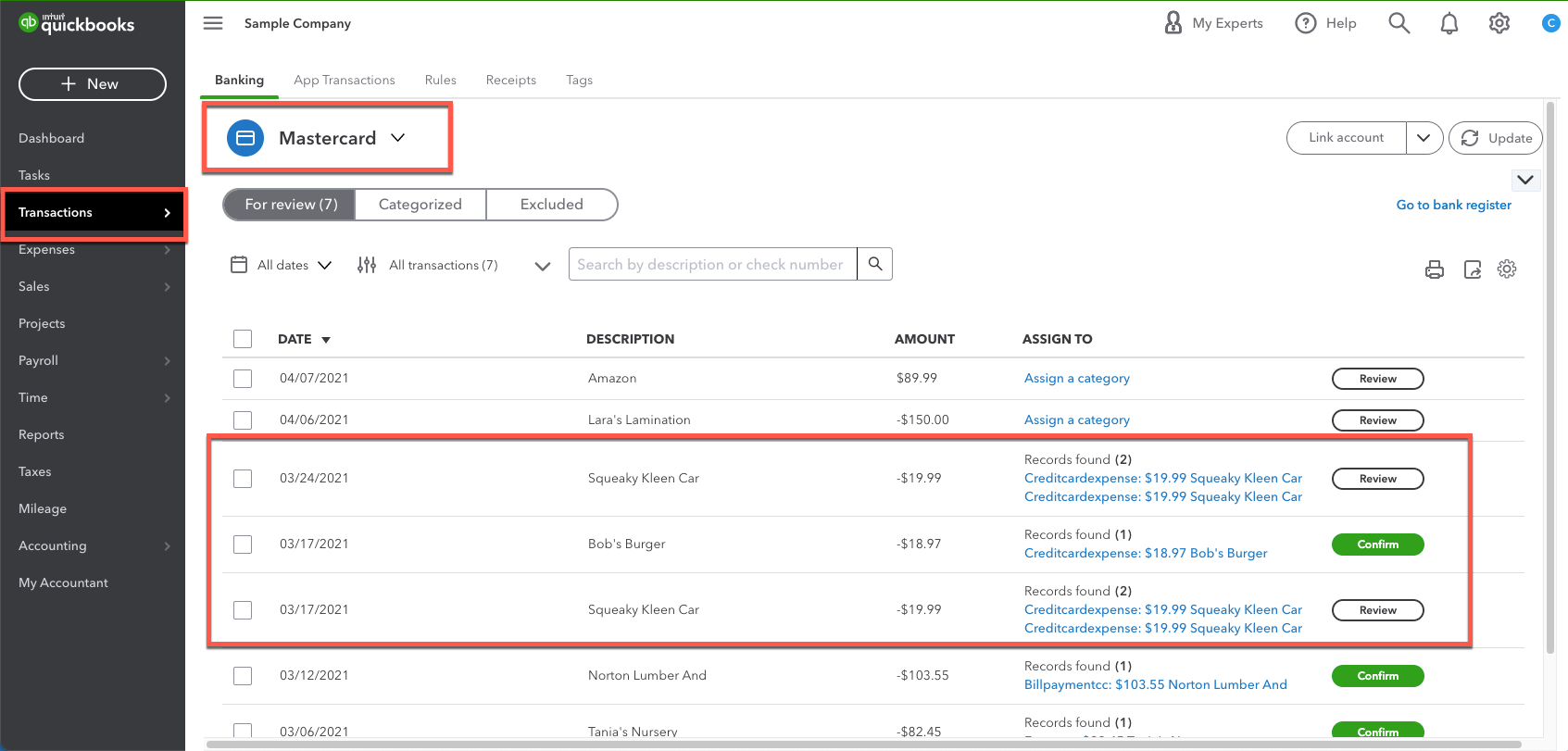
You can tell you’re in the Business View because the left black navigation bar says Transactions instead of Banking. You may still see the cards across the top, but they’re gray instead of blue, and they don’t show the bank’s balance for comparison.
The potential matches are listed as blue links on the right side. Sometimes you need to change the column width to see them fully. The number of matches is shown with the number of matching records found in parentheses.
The button terminology is changed to Review and Confirm, giving an actual instruction to the business owner.
Show Charts
Intuit is rolling out a new Profit and Loss Chart in both views. Keep an eye out for a little Show Charts slider to the right of the Update button.
The chart shows whether you have more income or expenses. The solid bars are the transactions already in QuickBooks Online. The hatched bits at the end are the transactions waiting for approval in the Banking Feed.
When you turn on the chart, the boxes across the top to select your accounts disappear. Instead, use the dropdown next to the account name in the upper left.

Conclusion
Personally, I prefer the Accountant View. I’m not sure if that’s because it’s what I’m used to as a long-time QBO user, but I think I prefer the green Match boxes to the list of transactions in the grid.
But try switching between both and see which view matches your brain’s comfort level! Whichever one makes you more productive and reduces your data entry errors is the right one for you.
Need a deeper understanding of the banking feed?
Click here to check out Alicia’s full, on-demand video course titled, “Banking Center and Reconciling.”
Wanna join the excitement of a live recording? Click here to take a look at Alicia’s upcoming live webinars.
Also be sure to explore Alicia’s QuickBooks Mentorship Training opportunities.
Did you find this helpful? Consider subscribing to our email list to have more helpful content just like this delivered directly to your inbox. Also be sure to drop us a comment below to let us know what you thought.