When you create an account in QuickBooks Online, your initial decision is which version to use. In the past, if you started with Simple Start or Essentials you could step up as you needed more features, but if you started with with all the features, there was no way to downgrade QuickBooks Online Plus.
Great news! Intuit now allows you to step up or down in any direction!
Should you?
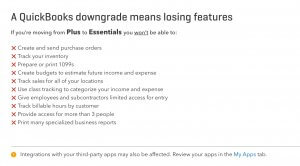
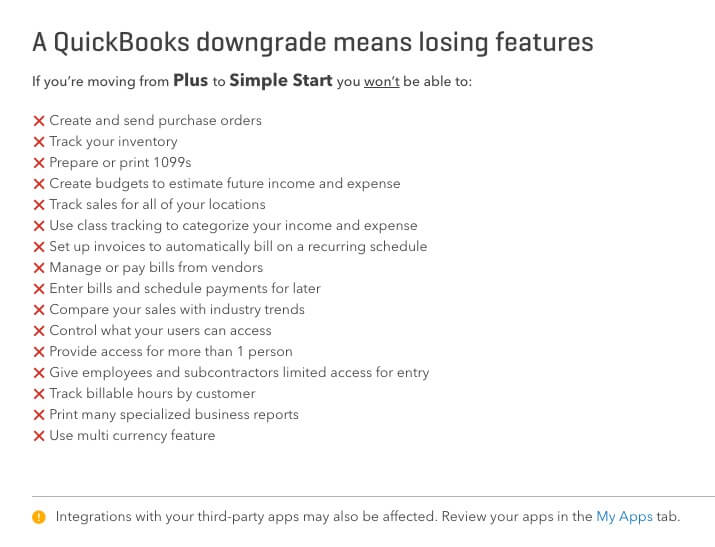
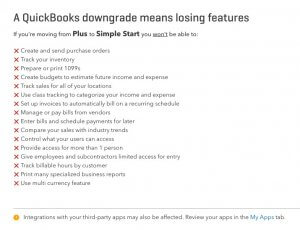
It’s important to note that before you downgrade away from Plus, there are many features you may be using, and you will lose access to them:
- No inventory
- Fewer user accounts
- No 1099s
- No budgets
- No classes
- No locations
- Fewer reports
 You can only downgrade as far as Essentials if you are using:
- Recurring Transactions
- Vendor bills
- Purchase orders
- Billable Expenses
Warnings
If you are running Payroll, you will lose your connection and have to set it up again.
If you use any 3rd Party apps, you will have to disconnect them and set them up again.
If you have Recurring Transactions, you will need to manually delete them and recreate them.
If you are using QB Payments merchant services, you will need to reconnect your account.
If you are on a ProAdvisor’s Wholesale Billing Account, you will need them to remove you from their billing before you proceed. After you are move to Essentials, they can put you back again afterwards.
You also cannot be using the Multicurrency feature, and you have to be on monthly billing, not annual billing.
Moving Forward
When you are considering changing your plan from Plus to Essentials or Simple Start, I highly recommend consulting a QuickBooks ProAdvisor, your bookkeeper, or Intuit’s support line to assist you. The last thing you want is any unexpected repercussions.
I also strongly recommend making a backup of your QBO file before you proceed, just in case (follow these instructions starting with the section “Exporting from QBO to QBDT Premier or Pro).”
Downgrading
 Some accounts have the ability to downgrade built in, but this feature is still being rolled out, and may not be available to you yet. Go to the Gear > Account and Settings. Click on Billing and Subscription. Next to your version you may see an option to Downgrade.
If you don’t have this option, there’s a back door in! Look in the URL of your browser window. Erase the part after the app/, and add changeplan. The whole link should read, “https://qbo.intuit.com/app/changeplan”. Press return, and you’ll go to the “Change my plan” screen.
You may proceed!