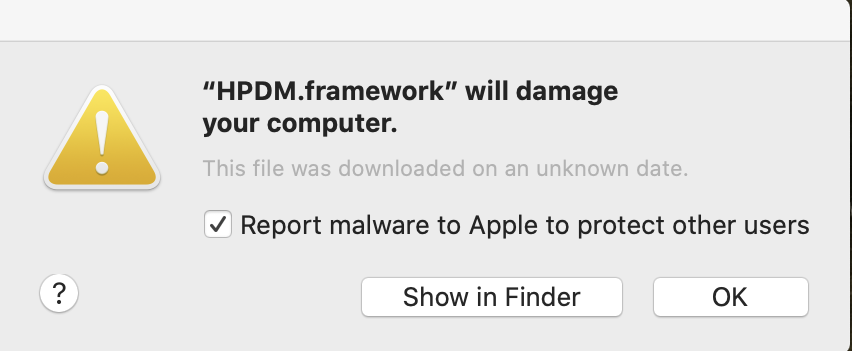
No, your HP Printer did not give your Apple computer malware!!!
HP and Apple have been dealing with some ongoing technical difficulties that are creating unforeseen challenges for HP users. An unfortunate code-signing mixup has disabled printing abilities for many HP users who have macOS 10.14 Mojave and 10.15 Catalina operating systems.
HP accidentally and unintentionally revoked the security certificates for some older printer drivers, causing macOS to warn users that the drivers may contain malware, and thus prevented printing entirely.
Some have assumed the fault lies with Apple, but an HP spokesperson recently admitted that it was actually HP that revoked the credentials. HP is now working with Apple to restore those certificates, but in the meantime, the company recommends uninstalling the HP driver and using the native AirPrint driver instead.
Royalwise has always had our eyes and ears open for the latest news, keeping a lookout for new hardware and software to learn ourselves so that we can teach our customers the material in a more approachable and absorbable manner.
However, when the news concerns security issues, viruses, and code bugs that interfere with everyday use, we make sure to bring it to your attention as soon as possible.
If you are having trouble resolving this particular HP printer issue, or if you would like to schedule an appointment with Jamie, please click here, or call us directly at 503-406-6550, or email us at info@royalwise.com, or visit us online at Royalwise.com.