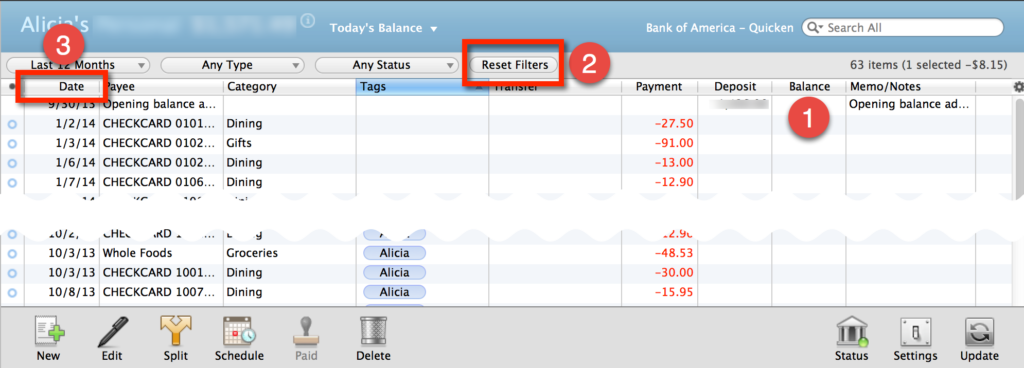
Sometimes when you’re looking at your checking accounts in Quicken Essentials for Mac, the running Balance column (1) shows up empty.
 Here’s how to fix that glitch.
First, click on the Reset Filters button (2). It won’t look like anything happens, but that’s just fine.
Next, click on the Date column header (3). Make sure that it shows the oldest transactions at the top and the newest transactions at the bottom. If it doesn’t, click the Date column header again.
Voilà! Your balance should now appear.
I’m not sure why this happens, but at least the fix is an easy one!