Quicken 2016 for Mac suggests FileVault, but we don’t

Quicken Apple File Vault

Table of Contents

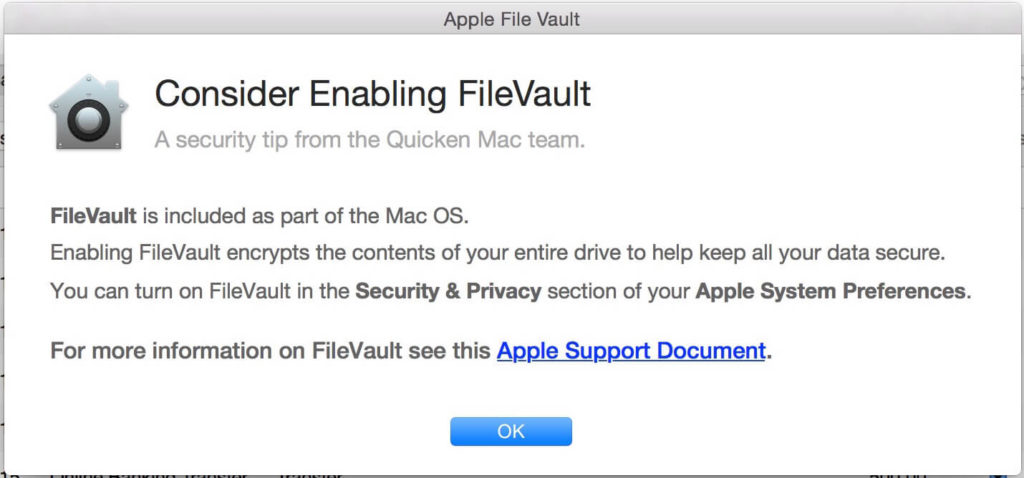
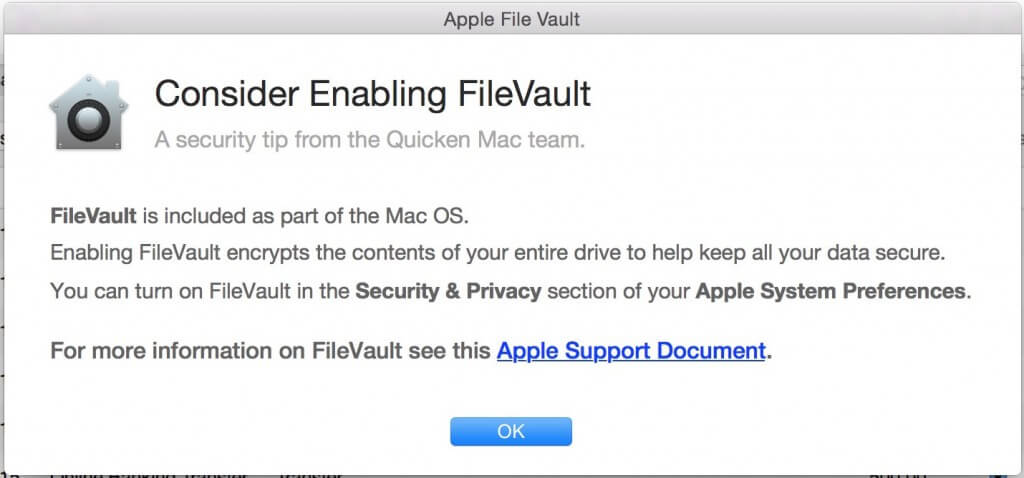
I just upgraded my Quicken for Mac software to 2016; I use it for my personal expenses. When I opened it for the first time tonight, I got this popup:
Quicken Apple File Vault

This is not an Apple message! And I wish Quicken didn’t think it was a good idea.

If you enable FileVault, and you forget the password, you can’t decrypt your hard drive. I’ve heard that recently Apple has taken steps so that users won’t lose complete access to their computers, but I haven’t seen it in action yet.

One consequence to turning on File Vault is that it slows down your machine because it constantly has to encrypt everything it saves.

There will be other repercussions down the line, other unforseen circumstances. As a home tech support people, we’ve seen it cause more problems than it solves.

Turning on File Vault is the right thing to do if most of the contents of your computer shouldn’t be seen by others. If it’s just your Quicken, that may not be enough to justify using encryption.

The reason Quicken suggests turning on FileVault is that one of the new Mac features is the ability to pay bills from within Quicken, pushing your payments out to your bank. This is great so that you no longer need to pay the bill online and then enter the transaction in Quicken as well. But it does mean that you’ve allowed access to anyone with your computer.

A better solution than turning on FileVault is to password protect your Quicken file with a password that you didn’t use anywhere else, that is not related to any personal information, and is not written down in the same room as your computer.

Taking this precaution will be much more effective than locking down your entire Mac just in case some bad guy steals your computer…who is smart enough to know how to use Quicken to take money out of your bank account.

If you would like some feedback about whether turning on FileVault is right for you, call Jamie at 503-504-6392.

Picture of Alicia Katz Pollock
Alicia Katz Pollock
Recently named one of America's Top 50 Women in Accounting, Alicia is a leading expert in QuickBooks Online training with a Masters in Teaching and decades of business consulting. She offers a range of tailored resources from self-paced courses to personalized coaching. Known for her patience and commitment, Alicia simplifies QuickBooks for clients, helping them achieve their financial management goals with ease.
Picture of Alicia Katz Pollock
Alicia Katz Pollock
Recently named one of America's Top 50 Women in Accounting, Alicia is a leading expert in QuickBooks Online training with a Masters in Teaching and decades of business consulting. She offers a range of tailored resources from self-paced courses to personalized coaching. Known for her patience and commitment, Alicia simplifies QuickBooks for clients, helping them achieve their financial management goals with ease.
Don't forget to share this post.
Related Articles
QuickBooks Online Training Blog | Header Image | Royalwise
QuickBooks
Alicia Katz Pollock
The QuickBooks Online Training Revolution Has Begun

(Watch the video above to hear the full story straight about QuickBooks Online Training from Alicia Katz Pollock.) The accounting industry is undergoing a seismic shift. What used to be a solo bookkeeper’s job is now handled by entire departments inside CAS practices and tax firms. The pressure is on for staff at all levels to really know what they’re doing in

Read More »
QuickBooks Online Reports
QuickBooks
Alicia Katz Pollock
Unlocking the Power of QuickBooks Online Reports

Unlocking the Power of QuickBooks Online Reports: A Deep Dive for Bookkeepers and Business Owners Let’s face it, we all love those satisfying “cha-chings” as payments hit our bank accounts. But as bookkeepers and business owners, we know that the true story of our financial health lies deeper, within the reports nestled inside QuickBooks Online (QBO). It’s easy to get

Read More »
Year-end Cleanup in QuickBooks Online
QuickBooks
Payden Miller
Year-End Cleanup in QuickBooks Online: Your Guide to a Sparkling Clean Start!

Hey everyone, Alicia Katz Pollock here! As we gear up for tax season, I want to talk about one of my favorite topics: Year-end Cleanup in QuickBooks Online. Yes, I know, “cleanup” doesn’t usually spark joy, but trust me, a little QBO spring cleaning can make a world of difference for your peace of mind and, most importantly, for accurate

Read More »