 QuickBooks Barter Transactions
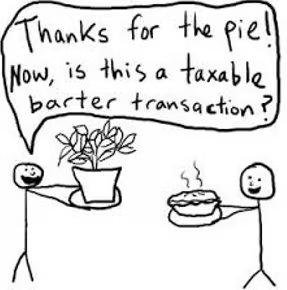
With the economy slowing for the next few months while everyone is in lockdown, a lot of people are seeing their incomes dry up. But we still need to get things done (which makes for a great time to learn more about our QuickBooks training classes!), even if we don’t have the money to pay. Back before the invention of “Money,” people traded goods and services with each other.
What is Bartering in QuickBooks?
If you’re an individual exchanging with your friends, family, and neighbors, you decide your terms and just make it happen. But if you’re a business, Bartering is still considered income and expenses by the IRS. Business is still getting done, and the IRS requires you to report it. While many business owners try to barter under the table, this isn’t advisable for many reasons:
- First, you’re under-reporting your income. This may save you money at tax time, but if you try to get bank financing then it looks like you made less revenue than you really did.
- Next, there’s no way to track if you’re getting a good deal or not…or who still owes whom. Many a friendship has been broken over bartering.
- Last, if the IRS catches you, your entire company history is now open to audit. And not just for the last seven years…all of it…you’re flagged forever into the future!
For all these reasons, it’s important to track your Bartering in QuickBooks®.
So, how do you do this in QuickBooks® Online?
Click here to watch Alicia’s free video demonstrating how to set up QBO for Bartering.
Here are the written instructions:
Setup Step #1: Create a Barter Bank Account in QuickBooks
You need a “Bank” account to track barter in and out. It won’t hold any actual money, but it will record the value of the services your provide and receive. Ideally, it should always equal $0.
- In the Chart of Accounts, add a new Bank account called Barter Clearing.
Setup Step #2: Create a Barter Payment Method
Create a payment method called Barter so that you know the work was done in trade.
- Go to Gear > All Lists > Payment Methods.
- Add a new Payment type called Barter.
Take a QuickBooks Barter Payment for your Services
- Make your Sales Receipt or an Invoice Payment as normal.
- Use Barter as your Payment method and Barter Clearing as your Deposit to account.
Pay using Barter in QuickBooks
- Instead of using a Vendor, choose your Customer
- Choose Barter Clearing as your Bank Account
- Select Barter as your Payment method
- Categorize your expense as normal
- If you are receiving Personal products/services instead of business, use your Owner Draw/Shareholder Distribution account to show you benefitted personally from the transaction.
Run a Report to monitor the Barter
- Run a Balance Sheet Report
- Click on the Barter Clearing total to drill into it. This will show all your barters from all customers in one place.
- To see just one trade, click on Customize.
- Make sure the Dates say “All Dates.”
- Scroll down to Customer and choose the desired Customer.
- If the trade will be ongoing, Memorize the report so that you can see your Barter balances as a glance.
Understanding QuickBooks Barter Transactions and More!
This explanation of Bartering is just one excerpt of several creative uses of QBO that Alicia covers in her Bookkeeping’s Tricky Situations course. If you learned something from this article, you’ll love her other techniques for managing bounced checks, managing loans, negative deposits, and more. Please click here to register!
Additionally, you can join our QuickBooks membership community and gain unlimited access to all of our QuickBooks training resources!