Days
Hours
Minutes
Seconds

LIVE TRAINING

Intuit Accountant Suite

On December 31, 2026, QuickBooks Online Accountant will officially be discontinued and Intuit Accountant Suite will take its place. Join us for a hands-on tour of the new platform.

Mirror Two Monitors But Not All of Them on a Mac

Mirror Two Monitors but not all of them

Table of Contents

Mirroring Monitors, But Not All of Them
Multiple Monitors
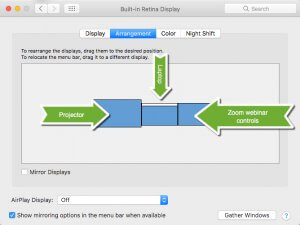
The normal 3-monitor setup

I present classes every week to a live audience and simultaneously webcast them. It poses a unique problem: How can I mirror just two of my monitors, but not all three?

I work on my laptop in front of me, and project it up to the screen in the room for the students attending in person.

I also need to have my Zoom webinar tools available to see the faces and/or the chat to answer questions from the people attending from home.

But when I turn on Mirror Displays on my Mac’s System Preferences, it takes over all three screens. So I’ve had to compromise by only having my screen up on the wall of the classroom, and my webinar tools on my laptop in front of me.

I haven’t been satisfied with explaining to the people watching the recording after-the-fact that I’m constantly looking up and to my left because I am looking at the screen and what I’m doing, then turning forward to the camera to talk to the audience. It’s been awkward, at least for me.

Previous searches for apps that would allow me to control which monitors are mirrored, and which are not, have been fruitless.

But in my last attempt to find a solution, I was finally successful! Since many of you also present workshops to audiences, I thought you would like to see this too.

The answer is…
Mirror Two Monitors but not all of them
Mirror two monitors but not all of them

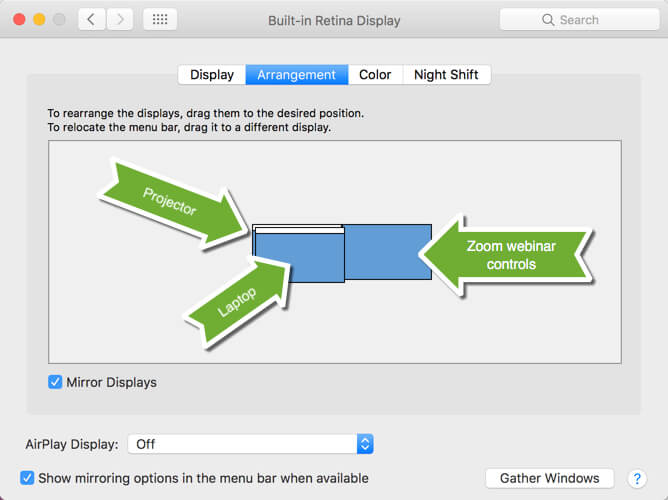
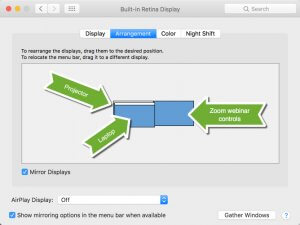
…on your Mac’s System Preferences > Displays, DON’T turn on Mirroring. Instead, hold down the Option Key and drag the two screens you want to mirror ON TOP OF EACH OTHER.

This allows my laptop and the projection screen to show the same content, and my webinar tools are on my third monitor on my right side.

So to the virtual online audience, I’m looking at them and talking to them. I can engage with the students in the class while working on my laptop, and they can see what I’m doing. And I can see the webinar participants and their questions when I glance to the right.

Everyone wins!

The Mac’s Option Key

I love that Apple builds complex solutions into their products in simple ways. True, there was no way for me to know that holding down the Option key would allow this to happen. But in past blog posts, I’ve emphasized that the Option key extends your Mac’s abilities in all kinds of delightful ways. In fact, here’s an article about the Option key that I wrote in 2010!

I encourage everyone to hold down the Option key while you click on various toolbar buttons and features. You never know when you’ll find the solution to your problem, or a solution to a problem you didn’t know you had.


Picture of Alicia Katz Pollock
Alicia Katz Pollock
Recently named the 2026 Top ProAdvisor Educator by Insightful Accountant, Alicia is a nationally recognized QuickBooks Online expert with a Master’s in Teaching and decades of business consulting experience. Known for her patience, commitment, and approachable teaching style, she makes QuickBooks easier to understand for small business owners and accounting professionals alike, helping them build the skills they need to manage their finances with clarity and ease.
Picture of Alicia Katz Pollock
Alicia Katz Pollock
Recently named the 2026 Top ProAdvisor Educator by Insightful Accountant, Alicia is a nationally recognized QuickBooks Online expert with a Master’s in Teaching and decades of business consulting experience. Known for her patience, commitment, and approachable teaching style, she makes QuickBooks easier to understand for small business owners and accounting professionals alike, helping them build the skills they need to manage their finances with clarity and ease.
Don't forget to share this post.
Related Articles
Episode 149 | Now You Know: ITK June 2026 Recap | Royalwise
QuickBooks
Alicia Katz Pollock
Now You Know: ITK June 2026 Recap – Podcast

Podcast Episode Overview Alicia and Dan break down June’s In the Know session, starting with the big one: QuickBooks Online Accountant is being discontinued on December 31, 2026, with Intuit Accountant Suite taking its place. They cover the modern reports rollout timeline, new consolidation and elimination tools in Intuit Enterprise Suite, and the ProAdvisor program’s transformation into the tiered ProPartner

Read More »
Episode 148 | Intuit’s Q3 Earnings Report | Royalwise
QuickBooks
Alicia Katz Pollock
Intuit’s Q3 Earnings Report – Podcast

Podcast Episode Overview Intuit’s Q3 fiscal 2026 earnings call was packed with numbers, and with her co-hosts sitting this one out, Alicia goes through them one by one to explain what each actually signals for bookkeepers, accountants, and QuickBooks users. She breaks down the strength of QuickBooks Online and mid-market growth, the slowdown in Desktop and Mailchimp, AI already running

Read More »
Episode 147 | QBO Snooze You Lose! | Royalwise
QuickBooks
Alicia Katz Pollock
QBO Snooze You Lose! – Podcast

Podcast Episode Overview Alicia runs through the latest round of Intuit announcements, including invoice deposits, garnishment tracking in Payroll, batch bill pay for up to 50 payments at once, and a redesigned review-and-pay screen that now shows clients every open invoice. She also gets a little cynical about Intuit’s growing push to surface its own experts inside QuickBooks, where clients

Read More »