Days
Hours
Minutes
Seconds

QuickBooks Online

Complete Hands-On Training

Learn QuickBooks Online in 12 weeks with our hands-on step-by-step guided course.

How to Create Placeholder Text in Word

Placeholder Text in Microsoft Word on a Mac

Table of Contents

If you’re creating a newsletter, flyer, or some other document, and the text hasn’t been written yet, insert placeholder text. This will allow you to work on the layout until the text is ready.

Here’s how you do it:

Type =Rand(#,#) where you want to add the placeholder text.

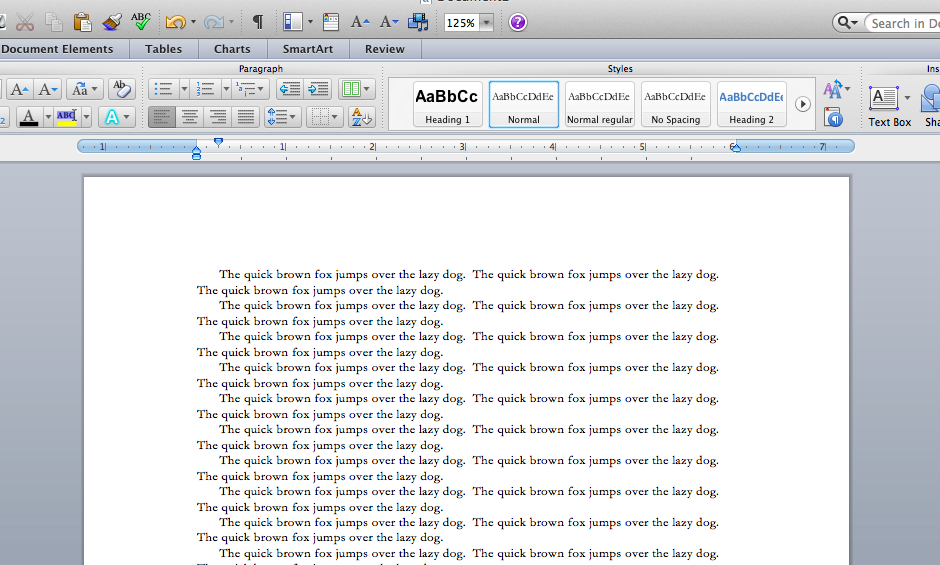
The first number is the number of paragraphs to create. The second is the number of sentences in each paragraph. So if I type =Rand(20,30) into a blank document, I get 20 paragraphs of 3 sentences each.

On a PC, the boilerplate text contains an explanation of Themes, Galleries, and Quick Styles. On a Mac, “The quick brown fox jumped over the lazy dog” repeats over and over again.
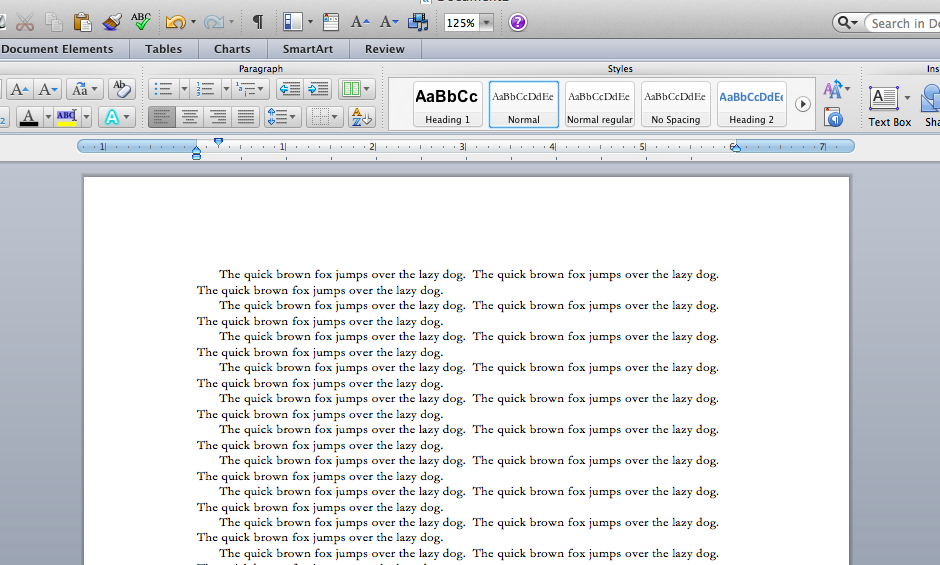
Placeholder Text in Microsoft Word on a Mac

Buy the Book

Microsoft Word 2010 Tips & TricksFor the complete collection of time-saving tips and tricks, buy my book, Microsoft Word 2010 Tips & Tricks. Available in eBook, iBook, Multi-touch, and paperback versions.



Picture of Alicia Katz Pollock
Alicia Katz Pollock
Recently named one of America's Top 50 Women in Accounting, Alicia is a leading expert in QuickBooks Online training with a Masters in Teaching and decades of business consulting. She offers a range of tailored resources from self-paced courses to personalized coaching. Known for her patience and commitment, Alicia simplifies QuickBooks for clients, helping them achieve their financial management goals with ease.
Picture of Alicia Katz Pollock
Alicia Katz Pollock
Recently named one of America's Top 50 Women in Accounting, Alicia is a leading expert in QuickBooks Online training with a Masters in Teaching and decades of business consulting. She offers a range of tailored resources from self-paced courses to personalized coaching. Known for her patience and commitment, Alicia simplifies QuickBooks for clients, helping them achieve their financial management goals with ease.
Don't forget to share this post.
Related Articles
Episode 121 | How Sweet It Is: Intuit Accounting Suite | Blog Header | Royalwise
QuickBooks
Alicia Katz Pollock
How Sweet It Is: Intuit Accounting Suite (Podcast)

Podcast Episode Overview This podcast is a deep dive into the Intuit Accountant Suite. Creators & Guests Host – Alicia Katz Pollock, MAT Guest – Dan Delong Sponsors Digits – https://uqb.promo/digits Podcast Highlights (00:00) – Welcome to The Unofficial QuickBooks Accountants Podcast (02:31) – Deep Dive into Intuit Accountant Suite (07:57) – Home Screen and Client Management (18:15) – Client

Read More »
Episode 120 | But How Do We REALLY Feel? | Blog Header | Royalwise
QuickBooks
Alicia Katz Pollock
But How Do We REALLY Feel? (Podcast)

Podcast Episode Overview Alicia opens the floor to dozens of ProAdvisors, bookkeepers, and accounting professionals who answered one question at recent conferences: “If I could say one thing to Intuit, it would be…” From concerns about constant software changes and beta testing on live users, to fears about being abandoned as Intuit shifts focus to mid-market and AI, these unfiltered

Read More »
Episode 119 | What's New in QuickBooks: November In the Know Recap | Royalwise
QuickBooks
Alicia Katz Pollock
What’s New in QuickBooks: November In the Know Recap (Podcast)

Podcast Episode Overview Alicia recaps Intuit’s November 20th “In the Know” webinar, covering the newly launched Intuit Accountant Suite (IAS) and its transition from QBO Accountant. She breaks down the platform’s core features, pricing structure for the Accelerate version launching in 2027, and new firm management capabilities including sub-organizations and client consolidation tools. The episode also covers significant updates to

Read More »