How Many Spaces Belong Between Sentences? One or Two?

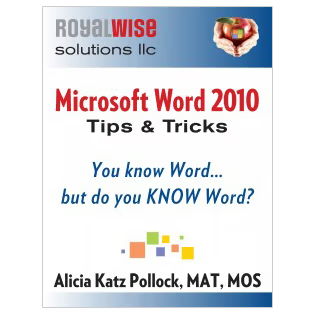
Microsoft Word 2010 Tips & Tricks

Table of Contents

Every so often on social media I come across a raging debate about how many spaces belong between sentences, one or two? In school we were taught two. In college they teach one. Flaming wars ensue!

So which is it? The answer is both generational and technological.
Microsoft Word Tips & Tricks iPad Multi-Touch iBookIn the days when typewriters were monospace, two spaces were necessary to distinguish between sentences. So all of us who learned to type on IBM Selectrics (or Royals!) have built up the muscle memory to thump our thumbs twice.

When magazines and newspapers began typesetting using proportional fonts, they specifically started using one space to allow them to fit more text in a column.

Today, now that almost everyone uses a computer to compose, one space instead of two has become the norm. Even Chicago Style and APA approve!

If you just can’t break the habit yourself, you can still type in Microsoft Word with two spaces, then do a Find and Replace and replace <space space> with <space>.

[box type=”note” size=”large” border=”full” icon=”none”]Get over 200 Microsoft Word tips and tricks in my book.
Available in eBook, Kindle, iBook for iPad, and paperback editions.[/box]
Space out, Man!

Related Posts

[related_posts limit=”4″ image=”150″]

Picture of Alicia Katz Pollock
Alicia Katz Pollock
Recently named one of America's Top 50 Women in Accounting, Alicia is a leading expert in QuickBooks Online training with a Masters in Teaching and decades of business consulting. She offers a range of tailored resources from self-paced courses to personalized coaching. Known for her patience and commitment, Alicia simplifies QuickBooks for clients, helping them achieve their financial management goals with ease.
Picture of Alicia Katz Pollock
Alicia Katz Pollock
Recently named one of America's Top 50 Women in Accounting, Alicia is a leading expert in QuickBooks Online training with a Masters in Teaching and decades of business consulting. She offers a range of tailored resources from self-paced courses to personalized coaching. Known for her patience and commitment, Alicia simplifies QuickBooks for clients, helping them achieve their financial management goals with ease.
Don't forget to share this post.
Related Articles
Episode 154 | QuickBooks Live is Dead, Long Live Intuit Experts | Royalwise
QuickBooks
Alicia Katz Pollock
QuickBooks Live is Dead, Long Live Intuit Experts – Podcast

Podcast Episode Overview QuickBooks Live is officially retired, and Alicia sits down with Dan DeLong and Matthew Fulton to unpack what replaces it: Intuit Experts, a narrower set of services built directly into QBO Simple Start and above. They walk through the new Books Check-In, Smart Expert Categorization, and Expert Books Upkeep offerings, how the accountant-attached toggle works, and why

Read More »
Episode 153 | Karla Uribe, Intuit’s Director of Product Management, IAS | Royalwise
QuickBooks
Alicia Katz Pollock
Karla Uribe, Intuit’s Director of Product Management, IAS – Podcast

Podcast Episode Overview Alicia sits down with Karla Uribe, Intuit’s Director of Product Management for the Accountant Segment, to unpack the vision behind Intuit Accountant Suite. They dig into the new Books Close and Client Insights features, how pricing and the ProPartner tiers will work, and what migrating from QBOA actually looks like in practice. Karla also addresses the AI

Read More »
Episode 152 | Now You Know: In the Know July 2026 Recap | Royalwise
QuickBooks
Alicia Katz Pollock
Now You Know: In the Know July 2026 Recap – Podcast

Podcast Episode Overview Alicia and Matthew break down Intuit’s July “In the Know” session, covering 175 behind-the-scenes fixes to bank matching, reports, and load times, plus a first look at the new unified inbox coming to QuickBooks Online this August. They also dig into the new Intuit Experts toggle that determines whether Intuit can market services directly to your clients,

Read More »