Amazon.com Business Banking Integration in QBO

Table of Contents

Amazon.com Business Banking Integration for QBO – Look What I Found!

By Alicia Katz Pollock
June 10, 2021

If you’re anything like me, you just spent the last year comfort-shopping on amazon.com. Not only did I buy a stack of funny t-shirts and almost anything that had Baby Yoda on it, but I also invested heavily in my business, buying the equipment I needed to take me in new directions this year, like better mics and lighting equipment, and my beloved standing desk.

I have an Amazon for Business account, because I love all the perks like free shipping, progressive discounts on my office supplies, and 5% cash back when I use my AmEx card. 

But the issue for me as a business owner is that because I’m a frequent shopper, my QuickBooks Online banking feed is full of Amazon charges, and it’s been time-consuming to have to log into amazon.com or scan my email to figure out which charge is for what.

So you can imagine my enthusiastic “Look What I Found!” when I noticed a new tab in QBO’s Banking Center, App Transactions. There are TWO new integrations there, one for Amazon Business, and a second one for Square (I’ll talk about that one in the future – just know that it operates exactly like Connect to PayPal, bringing in your Square sales receipts and deducting the fees).

When I connected Amazon for Business by entering my Amazon username and password, and then an OTC (one-time code), I was delighted to discover a list of all my recent Amazon purchases. 

Each transaction shows the payment method, and when you click on it, the actual product description. That’s so huge that I’m going to repeat it again: IT TELLS YOU WHAT YOU BOUGHT! Click on the order number or the link in the memo to open a receipt. You can update the expense category, and add the Payee if you want to be more specific than just saying “Amazon.com.”

The list showed all my orders, not just my business purchases, but it’s easy to Exclude all those that were paid using personal bank accounts that aren’t in my QBO. I don’t even have to muck around with Owner’s Draw unless I accidentally paid with my business card!

After you code the transactions, they move to the Reviewed tab so you can access them later. When the charges appear in the Banking Feed, they’ll Match your Amazon entry. The reverse is also true – if the transaction is already in your QBO, the Amazon for Business integration will update it, adding a new row detailing the purchase (it’s not elegant, but it works).

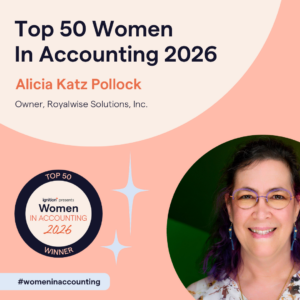
Picture of Alicia Katz Pollock
Alicia Katz Pollock
Recently named one of America's Top 50 Women in Accounting, Alicia is a leading expert in QuickBooks Online training with a Masters in Teaching and decades of business consulting. She offers a range of tailored resources from self-paced courses to personalized coaching. Known for her patience and commitment, Alicia simplifies QuickBooks for clients, helping them achieve their financial management goals with ease.
Picture of Alicia Katz Pollock
Alicia Katz Pollock
Recently named one of America's Top 50 Women in Accounting, Alicia is a leading expert in QuickBooks Online training with a Masters in Teaching and decades of business consulting. She offers a range of tailored resources from self-paced courses to personalized coaching. Known for her patience and commitment, Alicia simplifies QuickBooks for clients, helping them achieve their financial management goals with ease.
Don't forget to share this post.
Related Articles
QuickBooks
Payden Miller
Author’s new book receives a warm literary welcome.

Author’s new book receives a warm literary welcome. Readers’ Favorite announces the review of the Non-Fiction – Business/Finance book “QuickBooks Online Bootcamp” by Alicia Katz Pollock, currently available at http://www.amazon.com/gp/product/0989399265. Readers’ Favorite is one of the largest book review and award contest sites on the internet. They have earned the respect of renowned publishers like Random House, Simon & Schuster,

Read More »
QBO Bootcamp Press Release | Blog Header Image | Royalwise
QuickBooks
Payden Miller
How QBO Bootcamp is Changing the Game for Small Business Owners

If you’ve ever felt overwhelmed by your business finances, you’re not alone. Managing books, keeping up with tax prep, and understanding accounting software can be daunting—especially for small business owners. But a new book by Alicia Katz Pollock, QBO Bootcamp: From Setup to Tax Time, is here to help—and it’s already receiving glowing praise. A 5-Star Guide That Makes Finance Manageable

Read More »
Two Accounting Apps | Blog Post Header Image | Royalwise
QuickBooks
Brandon Mateika
When Two Accounting Apps Listen to Their Customers (And Actually Do Something About It)

Picture this: It’s 2021 at ‘Appy Camp, and Ben Stein from Keeper is standing at a bar, drink ticket in hand, ready to exchange it for a well-deserved cocktail after a long day of conference sessions. But when Alicia Katz Pollock rushes past—bass guitar case slung over her shoulder, racing to join the evening’s music circle around the fire—and tosses him

Read More »