QuickBooks Payments and the New Deposits Tab
Look what I found!
If you use QuickBooks Payments for your QuickBooks Online (QBO) merchant services, you’re in for a treat. Now there’s an easy way to monitor your QB Payments deposits, and access your Statements.
Deposits
When a deposit shows up in your Banking Feed, but you’re not sure exactly which transactions it was for…and for some reason it didn’t automatch*…you’ve always been able to go to https://merchantcenter.intuit.com to view your merchant services batches and see the transactions. But it was a drag to have to look in another website to get that info.
Now your QuickBooks Payments reports are at your fingertips, right in QBO!
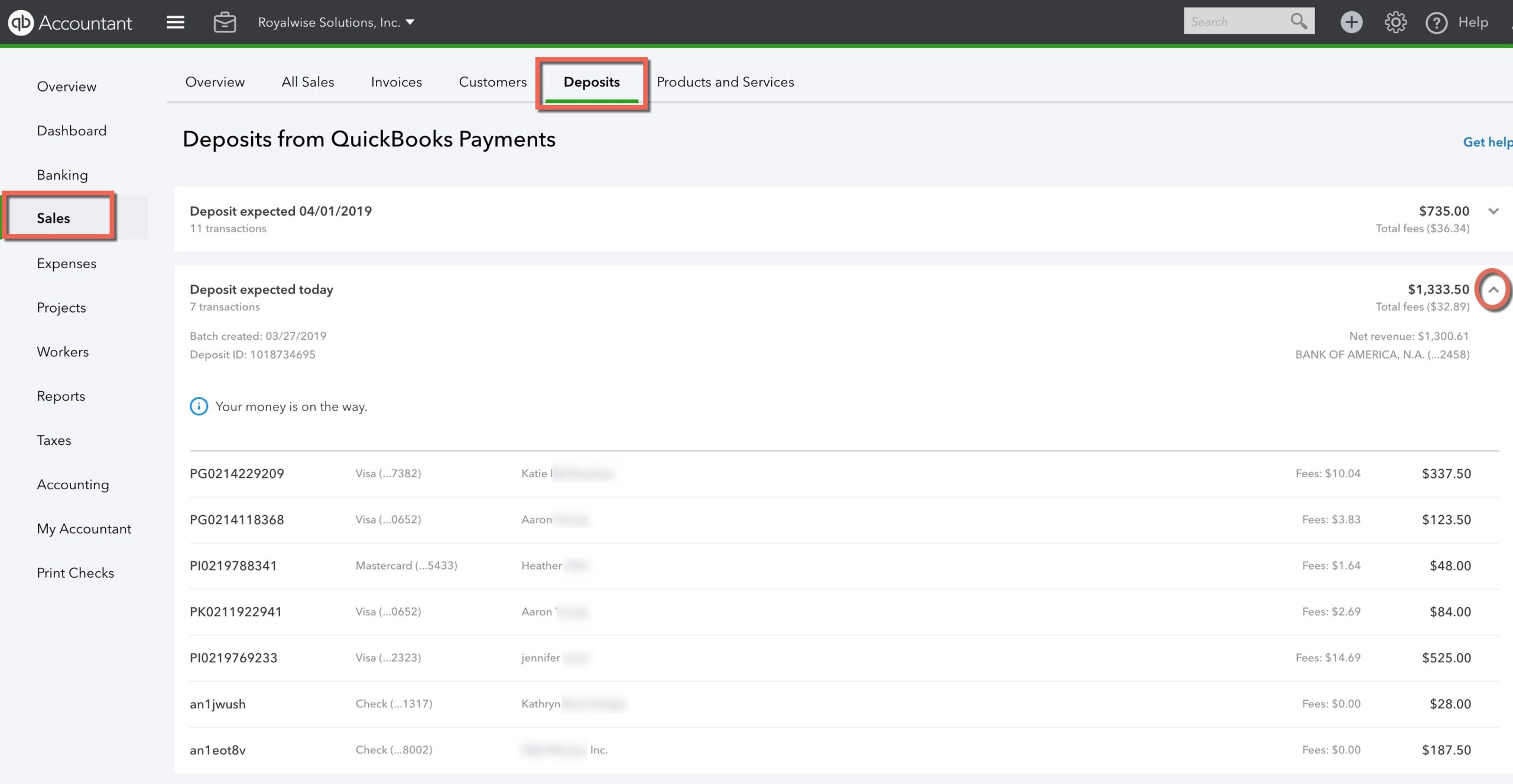
Click on Sales in the left navigation bar, then on Deposits. Here you’ll see each day’s credit card transactions, grouped by deposit date and total.
If the deposit happened in the past, click on the row to see the Payee names, dollar amounts, and fees.
If your deposit hasn’t hit the bank yet, you’ll see the estimated date when you can expect it!
If you haven’t already signed up for QB Payments, here’s another tip: if the business owner clicks the Learn More button from inside their Gear > Account and Settings > Payments tab, they will pay retail fee rates. If the bookkeeper clicks the button, they get discounted rates because QBO for Accountants recognizes their role as a ProAdvisor. Bookkeepers, be sure to do this for your clients!!
Even better, click here and go to my QuickBooks Payments registration link. As a member of Complete Business Group, an Intuit Reseller Program, my prices are even lower (and bookkeepers, sign up with Carrie Kahn and you too can offer this discount to your clients!).
As you can see, the transparency and convenience of QuickBooks Payments makes it the easy choice for merchant services for your company!
*Are your QuickBooks Payments not batching automatically? That happens when you take both swipe payments and receive email invoice payments, both in one day. When you view + > Bank Deposits, you can see your manual swipes up at the top, and the Invoice Payments show under the QuickBooks Payments section (you may have to click the dropdown arrow to see them). In this case, QBO can’t figure out the batch combination, and you have to check off the transactions from the top and bottom sections manually.
But at least you have the Deposits window to show you which transactions to combine!
Statements
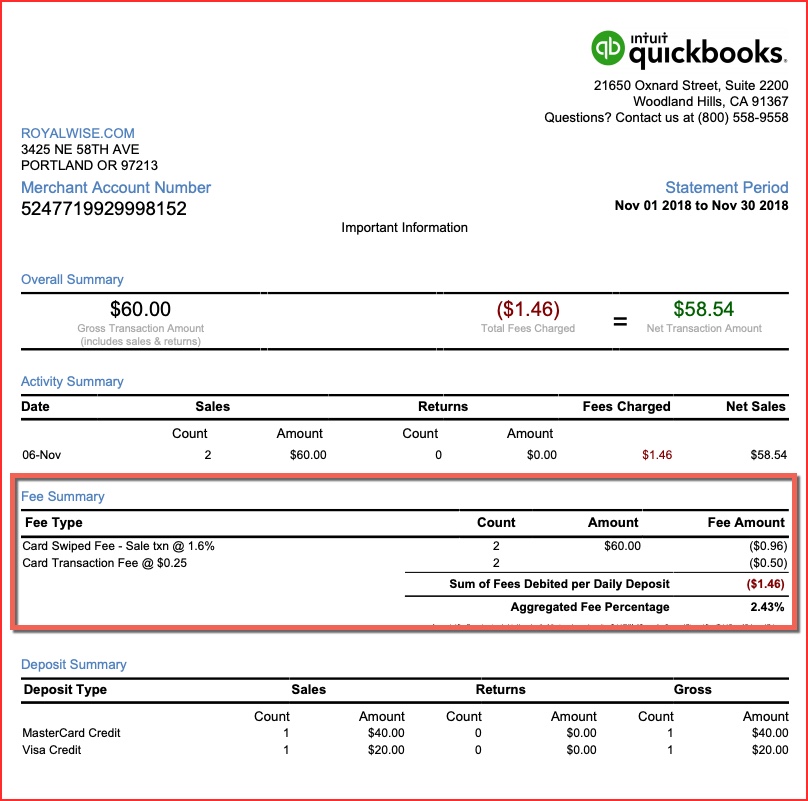
It’s also easy to see your monthly Statements. Click on Gear > Account and Settings > Payments. You can now see up to two years’ worth of monthly statements!
My favorite part is the Aggregated Fee Percentage. It averages all your different rates for swipes, invoices, and ACH, including fees, and gives you the true percentage of income. That gives you an apples-to-apples comparison to other merchant service solutions, like Square.