4 Tiny QBO Interface Updates

Table of Contents

4 Tiny QBO Interface Updates

Because I’m in QuickBooks Online day in and day out, with a variety of clients in different industries, I always notice when there are tiny tweaks to the interface. It’s funny to me, because I notice them immediately, but they instantly become just part of the toolset, so if I don’t take the time to explore them, I forget altogether that they’re new!

So, here is a list of some of the tiny new little buttons to push that I’ve noticed this summer:

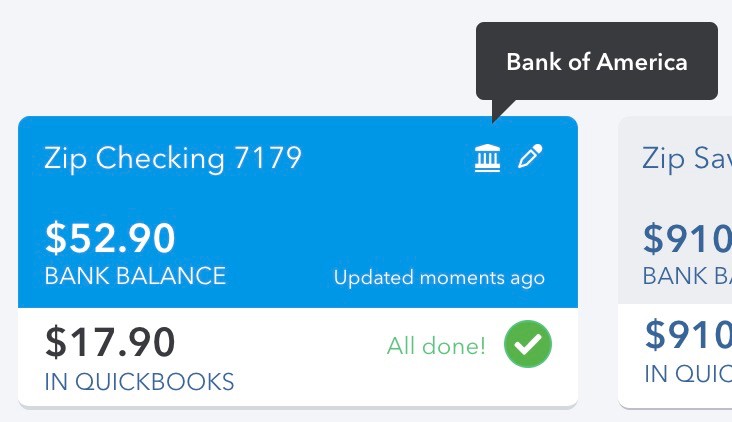
1) The new Banking icon

In the Banking Center, there’s now a little “Bank” in the upper right corner of each blue tile. When you hover your cursor over it, you’ll know which bank that account is with, even if the name you’ve given it isn’t specific.
2) Price Rules now show up when creating Products

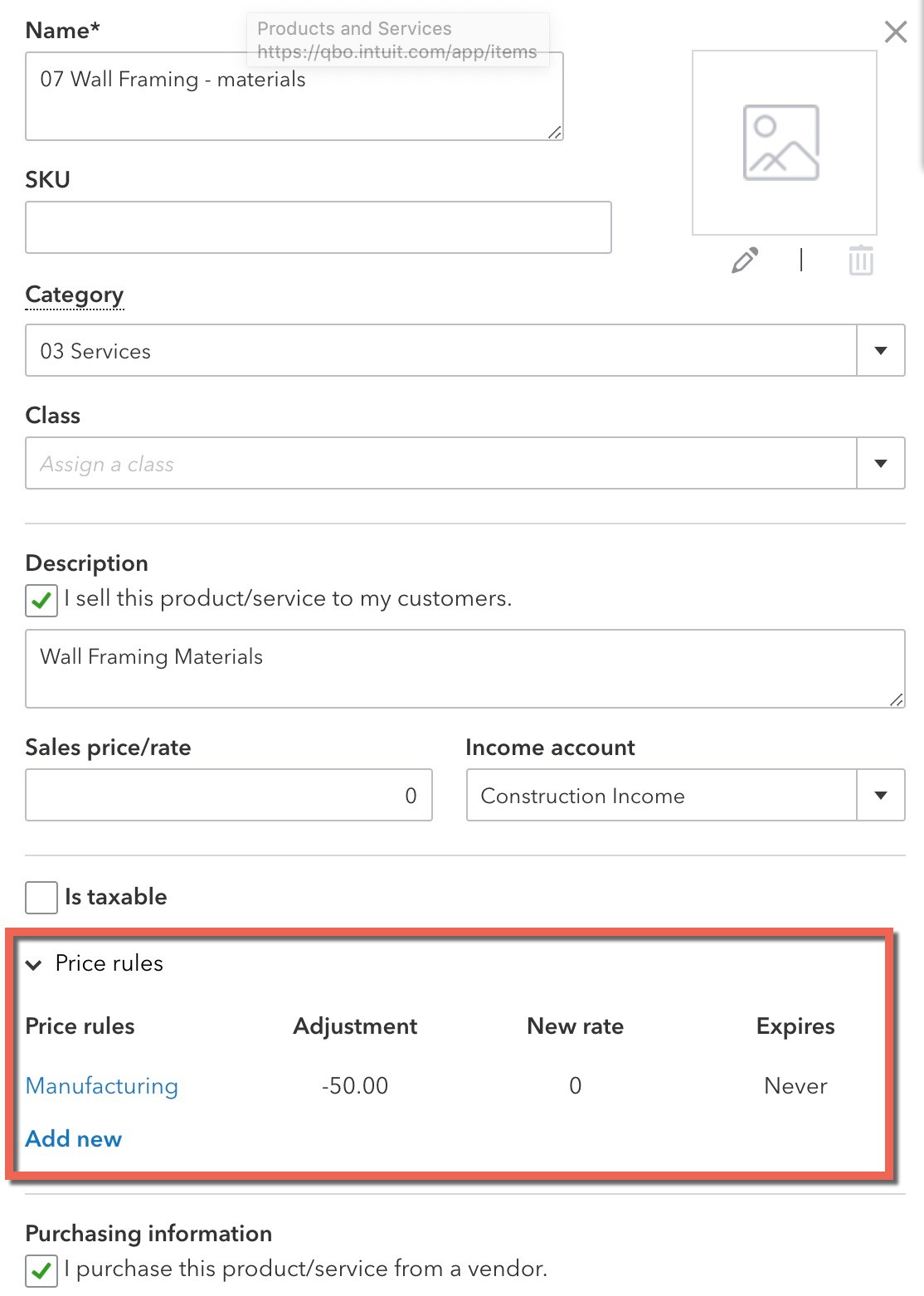
I show how to set up Price Rules in this article, but now you can create them on the fly while adding a new Product to QBO:
3) Settings Gears IN Expenses and Invoices!

In any Expense or Invoice, there’s a new Gear in the upper right. It’s a shortcut to the options available in Account and Settings in QBO Plus and Advanced. These are all necessary features if you’re doing Job Costing!

For example, here’s the Gear showing in a new Expense form.

When you click on it, you’ll see this:
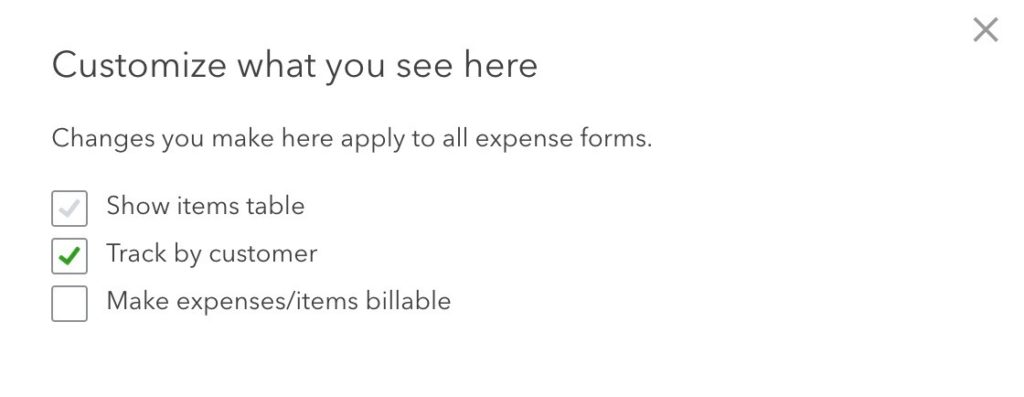
You can do the same thing with any Invoice as well! If you haven’t taken the time to modify your Sales and Expenses settings, now you can do it in-context, on the fly.

4) The QBOA Notifications Bell

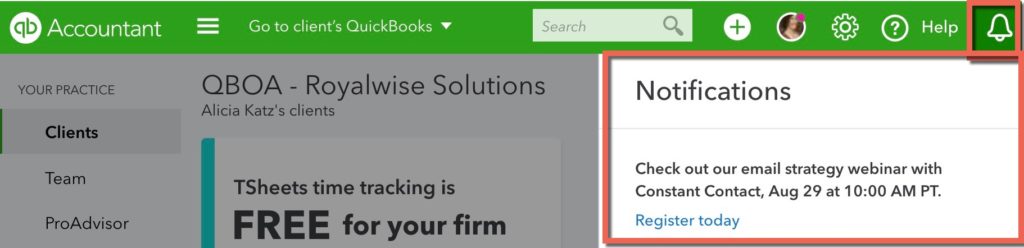
To make sure you don’t overlook communications from Intuit in your email, pay attention to the Bell in the upper right corner of your QuickBooks Online for Accountants screen. If you see a pink dot, click on it to find out the latest and greatest announcements and training opportunities from Intuit:
If you enjoyed this article, subscribe to our Look What I Found! free course, and check out our QuickBooks Online video training library!

Picture of Alicia Katz Pollock
Alicia Katz Pollock
Recently named one of America's Top 50 Women in Accounting, Alicia is a leading expert in QuickBooks Online training with a Masters in Teaching and decades of business consulting. She offers a range of tailored resources from self-paced courses to personalized coaching. Known for her patience and commitment, Alicia simplifies QuickBooks for clients, helping them achieve their financial management goals with ease.
Picture of Alicia Katz Pollock
Alicia Katz Pollock
Recently named one of America's Top 50 Women in Accounting, Alicia is a leading expert in QuickBooks Online training with a Masters in Teaching and decades of business consulting. She offers a range of tailored resources from self-paced courses to personalized coaching. Known for her patience and commitment, Alicia simplifies QuickBooks for clients, helping them achieve their financial management goals with ease.
Don't forget to share this post.
Related Articles
QuickBooks
Payden Miller
Author’s new book receives a warm literary welcome.

Author’s new book receives a warm literary welcome. Readers’ Favorite announces the review of the Non-Fiction – Business/Finance book “QuickBooks Online Bootcamp” by Alicia Katz Pollock, currently available at http://www.amazon.com/gp/product/0989399265. Readers’ Favorite is one of the largest book review and award contest sites on the internet. They have earned the respect of renowned publishers like Random House, Simon & Schuster,

Read More »
QBO Bootcamp Press Release | Blog Header Image | Royalwise
QuickBooks
Payden Miller
How QBO Bootcamp is Changing the Game for Small Business Owners

If you’ve ever felt overwhelmed by your business finances, you’re not alone. Managing books, keeping up with tax prep, and understanding accounting software can be daunting—especially for small business owners. But a new book by Alicia Katz Pollock, QBO Bootcamp: From Setup to Tax Time, is here to help—and it’s already receiving glowing praise. A 5-Star Guide That Makes Finance Manageable

Read More »
Two Accounting Apps | Blog Post Header Image | Royalwise
QuickBooks
Brandon Mateika
When Two Accounting Apps Listen to Their Customers (And Actually Do Something About It)

Picture this: It’s 2021 at ‘Appy Camp, and Ben Stein from Keeper is standing at a bar, drink ticket in hand, ready to exchange it for a well-deserved cocktail after a long day of conference sessions. But when Alicia Katz Pollock rushes past—bass guitar case slung over her shoulder, racing to join the evening’s music circle around the fire—and tosses him

Read More »