
- No More Headaches
Apple training made simple & fun!
From iPhones to iMacs, we’ll show you how to actually enjoy using your Apple devices without frustration. Our Apple Training is designed for real people, no tech jargon required.

Apple Training
Learn Apple the easy way.
Apple products are supposed to “just work.” But sometimes…they just don’t. That’s where we come in. Our Apple Training makes even the trickiest tech feel simple, practical, and (dare we say) fun. Whether you’re brand new to Apple or want to sharpen your skills, we’ve got training options that fit your pace, your schedule, and your lifestyle.
Apple Training
Friendly & Fun
We ditch the boring manuals and make learning hands-on, engaging, and enjoyable.
Apple Training
Learn Your Way
Take a class, book a one-on-one, or jump into live training, it’s all about what works for you.
Apple Training
Real-Life Results
No abstract tech lessons here. You’ll leave knowing how to actually use your device every day.
Master Every Screen
Training options for iMacs, iPhones, iPads & more.
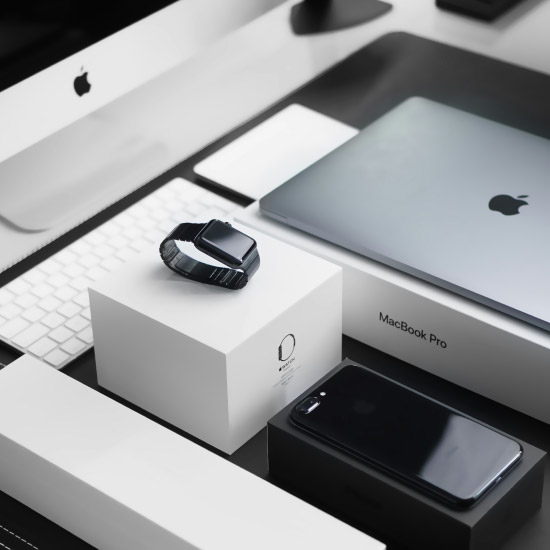
Not all Apple products are created equal and learning them shouldn’t feel like rocket science. Our Apple Training covers the full lineup of devices, so you can finally feel confident whether you’re swiping, tapping, or typing.
- iMac
- MacBook
- iPhone
- iPad
- Apple Watch
Online Course
What's New in iOS 26
Your iPhone has a brand new operating system, iOS 26! With dozens of new features, this cutting edge technology just keeps getting better (if you know how to use it effectively).
- 1 Hour
- 3 Videos
- Self Paced
Online Course
iPhone/iPad Basics: Focus on Foundations
Apple’s iPhone & iPad are versatile & highly sophisticated, but can be intimidating to use if you don’t know the basics. Build a solid foundation of knowledge by taking this class.
- 2 Hours
- 4 Videos
- Self Paced
Online Course
Photos on Your iPhone (iOS18)
What’s New in Photos? Your iPhone’s Photos app just got a major redesign. In Photos – iPhone iOS 18, you’ll get a guided tour of the updated layout and organization tools, so you can find your pictures fast.
- 1 Hour
- 3 Videos
- Self Paced
Learn Anytime - Anywhere
Apple courses you can watch on your schedule.
Prefer to learn at your own pace? Our Apple Training Courses are available online 24/7, so you can pause, rewind, and repeat until it all clicks. With Jamie’s friendly, step-by-step guidance, you’ll never feel left behind.
Learn Together – Live
Join our monthly Apple training sessions.
If you prefer real-time interaction, our live Apple Training is for you. Each month, Jamie hosts sessions where you can ask questions, learn with others, and stay up-to-date with the latest Apple updates. It’s training, community, and a little bit of fun, all rolled into one.
- Stay current with Apple’s frequent updates
- Get real-time answers to your questions
- Connect with other Apple learners
- Gain practical tips you can use immediately

Personalized Support
Private Apple training with Jamie.
Sometimes, you just need a pro to walk you through your unique Apple challenge. That’s where Jamie shines. Book a one-on-one training session and get customized help, whether it’s fixing a tricky setting, streamlining your workflow, or setting up your brand-new device.
Personalized Guidance:
Get help tailored to your devices and your exact situation.
Expert Troubleshooting:
No issue is too big or too small. If it’s Apple, Jamie’s seen it.
Confidence Boost:
Walk away feeling capable, not confused.
Contact Us
Ready to feel confident with your Apple devices?
Whether you prefer live training, online courses, or one-on-one help, we’ve got an Apple Training option for you.