
- QUICKBOOKS® SETUP & MIGRATION SERVICES
Start with QuickBooks set up right.
You'll thank yourself later.
Whether you’re opening QuickBooks® Online for the first time or finally moving years of history out of QuickBooks Desktop, the decisions you make during setup matter.
Royalwise builds your QuickBooks around how your business actually works, so you’re not spending the next year fighting a file that was set up incorrectly on day one.

Start Clean
Build your new QuickBooks file on a solid foundation instead of inheriting problems from day one.
Structure It Right
Set up accounts, products, services, settings, and workflows around how your business actually operates.
Move What Matters
Bring the right information from Desktop without assuming every piece of the old file belongs in the new one.
Protect Your History
Keep access to important historical information without unnecessarily cluttering your new Online file.
Plan For Real Workflows
Build QuickBooks around how you invoice, get paid, track expenses, report, and work with your accountant.
Know What Comes Next
Start using the new file with a clear understanding of how it was built and how to keep it working correctly.
- WHY SETUP MATTERS
It's much easier to build it right than fix it later.
QuickBooks makes creating a company look easy.
Answer a few questions. Connect your bank. Start categorizing transactions. Done…right? Not quite.
Your chart of accounts, products and services, company settings, opening balances, sales tax, workflows, integrations, and dozens of smaller decisions affect everything that happens afterward.
And once months or years of transactions start piling on top of a bad foundation, changing it becomes considerably harder.
A good QuickBooks setup doesn’t just get you started. It helps keep you from needing a cleanup later.
A good setup helps keep you from needing a cleanup later.

- WHERE ARE YOU STARTING?
New file or moving from Desktop?
- STARTING FRESH?
I need a new QuickBooks Online file.
Starting a business? Moving away from spreadsheets or another accounting system? Or simply ready for a clean start? We’ll build your QuickBooks Online file around how your business actually works.
SETUP MAY INCLUDE:
- Company and accounting settings
- Chart of accounts
- Products and services
- Customers and vendors
- Sales tax configuration
- Bank and credit card connections
- Invoicing and payment workflows
- Reporting structure
The goal: QuickBooks is ready for real transactions before you start entering new information.
- MOVING TO ONLINE?
I need to move from QuickBooks Desktop.
Desktop and Online aren’t simply two versions of the same program.
- Some settings/information converts beautifully.
- Some settings/information converts differently than you expect.
- And some settings/information doesn't convert at all.
We’ll evaluate your existing file and help determine what should move, what needs special handling, and what your new Online file should look like when you get there.
The goal: Don’t just move your old QuickBooks. Build the QuickBooks you need going forward.
HOW IT WORKS
Your setup starts with your business, not QuickBooks.
Before we start clicking settings or moving data, we need to understand what you’re actually trying to accomplish.
Tell Us How You Work
We'll learn what you sell, how you get paid, what you need to track, what reports matter, and what you're starting with.
We Map The Setup
We'll determine the right QuickBooks structure and, for migrations, what should transfer and what may need special handling.
We Build or Migrate
We'll configure the file, establish the right structure, and handle the migration when applicable.
you're ready to work
We'll make sure you understand the new environment and the workflows that matter for your business.
- THE OUTCOME
QuickBooks that fits the way you work.
A successful setup isn’t just one that opens without an error. It’s one that makes sense when you start running your business through it.
The Right Foundation
Accounts, settings, products, services, and opening information structured intentionally from the start.
Cleaner Workflows
A QuickBooks environment designed around how your business invoices, gets paid, tracks expenses, and reports.
Confidence Going Forward
Know where things belong, how the new file works, and what you or your team should do next.

What does your new QuickBooks Online file actually need?

- MOVING FROM QUICKBOOKS DESKTOP?
Don't just move the old file.
Make the move worthwhile.
Your Desktop file contains years of history.
Customers. Vendors. Products. Transactions. Old workflows. Old decisions.
And probably a few things you wouldn’t set up the same way today. Moving to QuickBooks Online gives you an opportunity to ask a much better question than:
“How do we get everything into Online?” Ask: “What does the new file actually need?”
Sometimes a straightforward conversion is exactly right. Sometimes the better solution is to bring over what matters and leave years of accumulated clutter behind.
We’ll help you figure out the difference before we start moving things around.
- WHY ROYALWISE?
We understand both sides of the move.
QuickBooks Desktop and QuickBooks Online aren’t interchangeable.
That’s especially important during a migration. Alicia’s experience spans QuickBooks Online Advanced, QuickBooks Desktop, Payroll, setup, migration, cleanup, troubleshooting, and training.
That means we’re not simply focused on getting data from Point A to Point B. We’re thinking about what the data means on both sides and whether the person using the new file will actually understand how it works when we’re finished.
Because sometimes knowing how to build a good QuickBooks file comes from seeing all the ways one can go wrong.
Meet Alicia Katz Pollock, our #1 problem solver:
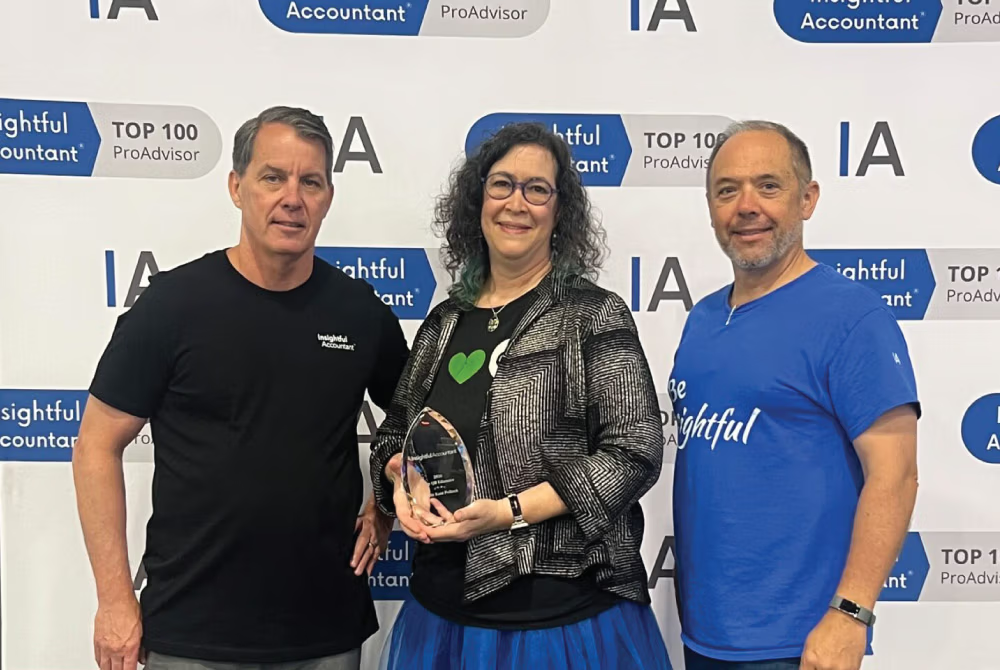
Insightful Accountant Top Educator
Award Won: 2026
MYCPE ONE Top Educators
Awards Won: 2024-2025
Queen of QuickBooks (Intuit)
Awards Won: 2023–2024
Top 50 Women in Accounting (Ignition)
Award Won: 2023


- REAL RESULTS
What our past customers say!
Here’s what bookkeepers, accountants, and business owners who have worked with us had to say.
This is real feedback from people who walked in unsure and walked out running their books with confidence.
"I am truly amazed..."
“I would just like to tell you how wonderful yesterday’s session with Alicia was! I am truly amazed at how quickly she was able to address our concerns regarding the problems created when we moved from QB Desktop to QB Online. We had been trying to work with Intuit support desk to “fix” problems created by duplicate entries, reconciliations, etc. for close to two years and Alicia was able to show us where the problems were coming from and how to avoid them in the future.”
Peg Brown – Summerplace HOA – Portland Oregon
“She (Alicia) was able to quickly focus on my particular needs...”
“I was midway through setting up QuickBooks when I called Alicia. She was able to quickly focus on my particular needs, answer my questions, and set up payment processing methods that work best for my situation. Her broader knowledge of business and website design addressed other aspects of my business as well.”
“Alicia really understands the nuances of what makes a business work.”
“A multiple business owner herself, Alicia really understands the nuances of what makes a business work. Recently she helped us to generate a sales projection report as well as forecast the direction of our company. Both tasks have proven to be greatly beneficial!”
“Able to walk me through setting up 2 companies...”
“Alicia is well versed with QuickBooks and was able to walk me through setting up 2 companies and hands on training to be able to manage these accounts on my own. She was efficient and fair in accounting for her time and makes herself available for follow up. I would use her again and recommend her to other business owners looking to get QuickBooks consulting.”
DOING IT YOURSELF?
Alicia literally wrote the book on it.
For those comfortable working in QuickBooks and would rather handle the conversion yourself.
Alicia wrote The Comprehensive Guide to Converting from QuickBooks® Desktop to QuickBooks® Online, a step-by-step resource created specifically for businesses and accounting professionals making the move.
There’s also a companion course if you’d rather have Alicia walk you through the process.
- Course Questions
Frequently Asked Questions (FAQs)
Get clear answers about this entire process before you hand us the mess…
Can you set up QuickBooks Online for a brand-new business?
Absolutely.
Getting help before you start entering transactions can prevent a lot of cleanup later.
We’ll learn how your business operates and build the appropriate foundation before months of bookkeeping start accumulating.
Can you move my QuickBooks Desktop file to QuickBooks Online?
Yes.
We’ll evaluate your Desktop file and determine the appropriate migration approach based on its history, features, and complexity.
Will everything from QuickBooks Desktop transfer to QuickBooks Online?
Not necessarily.
Desktop and Online don’t handle every type of information in exactly the same way.
Part of migration planning is identifying what will transfer, what may behave differently, and what may need another solution.
Should I convert my existing file or start a new one?
It depends.
If your Desktop file is clean and contains useful history, converting it may make perfect sense.
If it contains years of problems or unnecessary complexity, starting with a cleaner Online environment may be the better approach.
We’ll help you evaluate both options.
What happens to my old QuickBooks Desktop file?
Your Desktop file can remain available as an archive.
That gives us flexibility. Historical information doesn’t necessarily need to be forced into your new Online file just because you may want access to it someday.
How long does a migration take?
It depends on the file.
Some migrations are relatively straightforward. Others involve inventory, payroll, years of history, unusual workflows, or data requiring special handling.
We’ll evaluate your situation before recommending a plan.
Can you handle inventory, payroll, or complicated QuickBooks files?
These are exactly the kinds of factors we’ll discuss during the initial evaluation because they can significantly affect the setup or migration approach.
Will you work with my CPA or bookkeeper?
Absolutely.
We want the file to work for the people using QuickBooks every day and the accounting professionals relying on its financial information.
Can you train me after the setup is finished?
Definitely.
Training is one of Royalwise’s specialties. We can help you understand the workflows you’ll actually use so you’re not handed a perfectly configured QuickBooks file and left wondering what to do with it.
How much does setup or migration cost?
It depends on where you’re starting and where you need to end up.
A straightforward new-company setup is very different from migrating a complicated Desktop file with years of history.
We’ll first understand your situation, then recommend the appropriate scope.

READY TO GET STARTED?
Let's build it right the first time.
Whether you’re opening your first QuickBooks file or finally saying goodbye to Desktop, you don’t have to figure out the setup alone.
We’ll help you determine the right structure, the right migration approach, and the right way to get QuickBooks Online ready for your business.